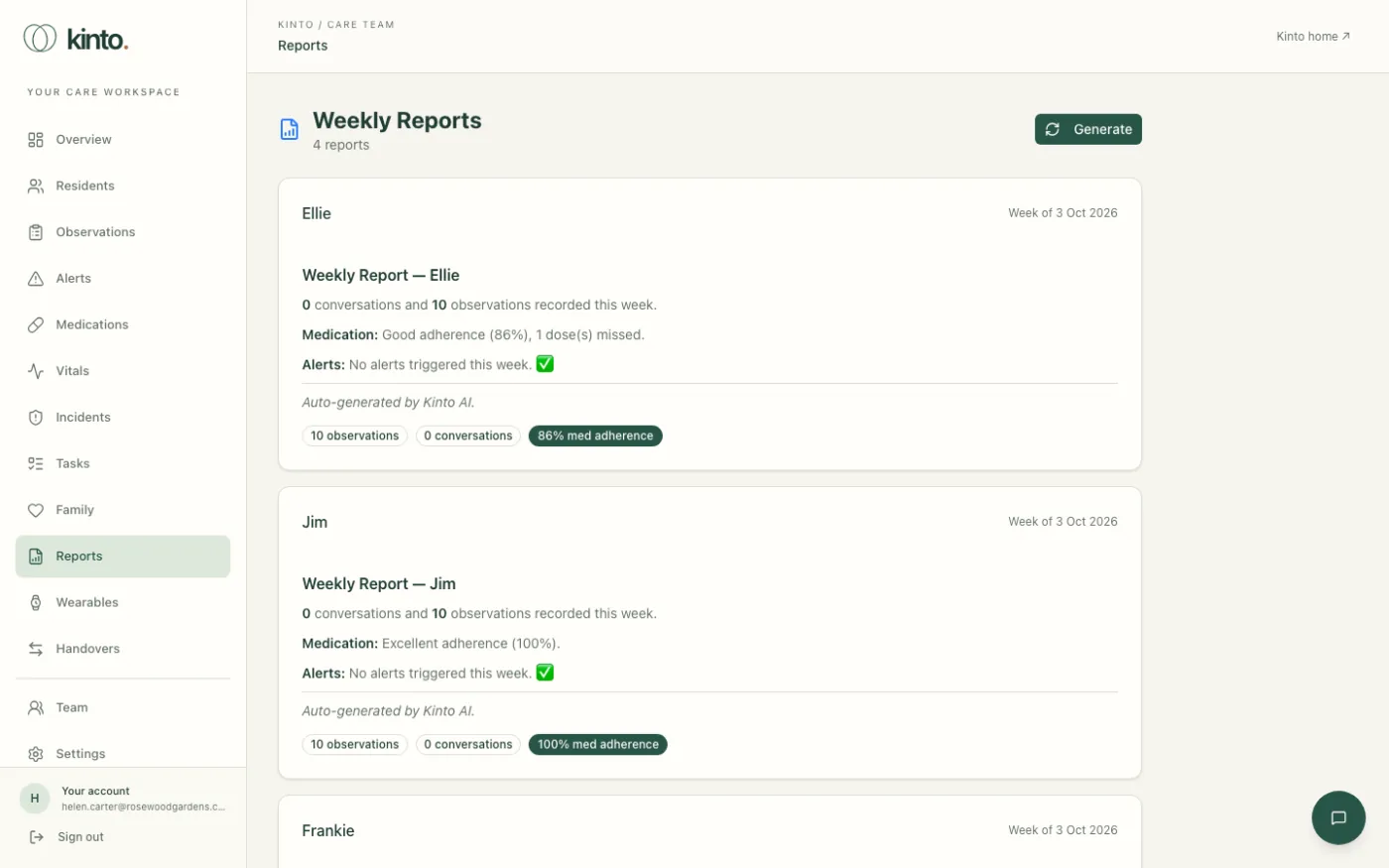
Reports (Weekly Reports) gives each resident a short summary of the last 7 days: how many conversations they had with Sarah, how many observations were recorded, how well medicines were taken and any alerts.
Create this week’s reports
- Select Reports in the menu.
- Select Generate at the top right.
- You’ll see Reports generated, and a card for each resident appears, headed Week of ….
Selecting Generate again later in the week updates the reports for the same period.
Reading a report
- The summary is written automatically and ends Auto-generated by Kinto AI.
- Badges show the number of observations and conversations, the percentage of medicines given, and how many alerts there were at each severity. Adherence below 80% is shown in red.
- Select the resident’s name to open their profile.
Still stuck, or spotted something that doesn’t match what you see? Email support@kinto.you and tell us which page you were on. Please don’t include residents’ personal or medical details.