Ask Sarah is an AI assistant for the care team. Ask in your own words and she looks up what’s already recorded in Kinto for your care home (residents, care records, medicines and the MAR, vital signs and NEWS2, alerts, incidents, tasks and handovers) so you don’t have to click through several pages. It’s available to owners, admins and carers.
Open Ask Sarah
- Select the round green chat button in the bottom right corner of any dashboard page.
- You’ll see Hi! I’m Sarah, your care-team assistant. with four suggestions.
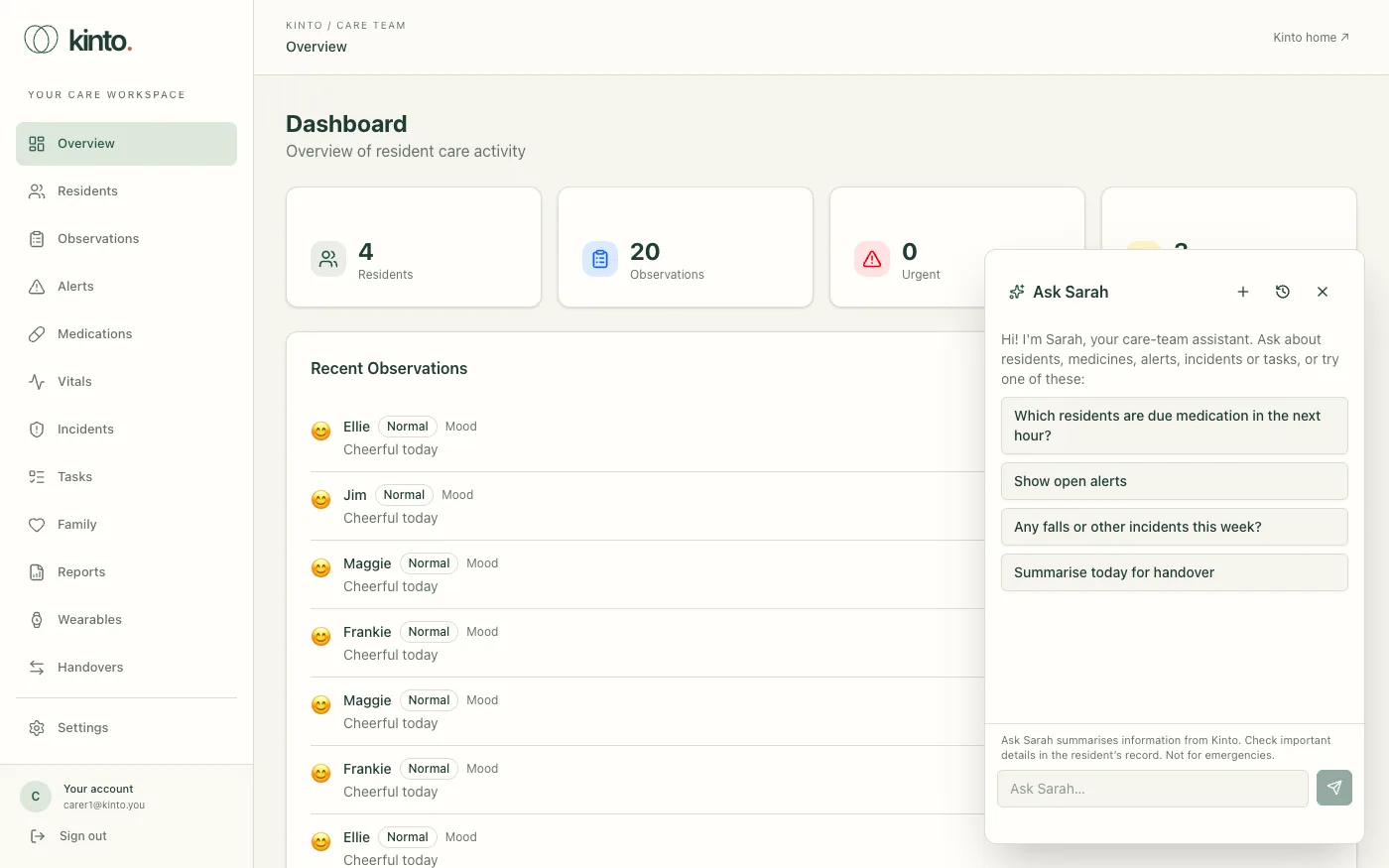
- Choose a suggestion, or type in Ask Sarah… and press Enter. While Sarah looks things up you’ll see what she’s checking, for example Checking medication records…, then her answer appears as she writes it.
- Above the message box, a reminder says: Ask Sarah summarises information from Kinto. Check important details in the resident’s record. Not for emergencies.
- Select the cross at the top of the panel to close it.
What you can ask
| For example | What Sarah looks at |
|---|---|
| Which residents are due medication in the next hour? Is anything overdue today? | Active prescriptions and today’s MAR entries, in UK time. |
| Tell me about Maggie: allergies and care plan highlights. | The resident’s conditions, allergies, care plan, medicines and treatments. |
| What’s Jim’s latest NEWS2 score? | Recent vital signs and the early-warning score, including which readings are missing. |
| Any falls or other incidents this week? | Incidents, observations and the MAR for the time you ask about. |
| Show open alerts. What tasks are still open? | Active alerts and today’s open or overdue care tasks. |
| Summarise today for handover | Drafts a handover for the last 8 hours. See Shift handovers. |
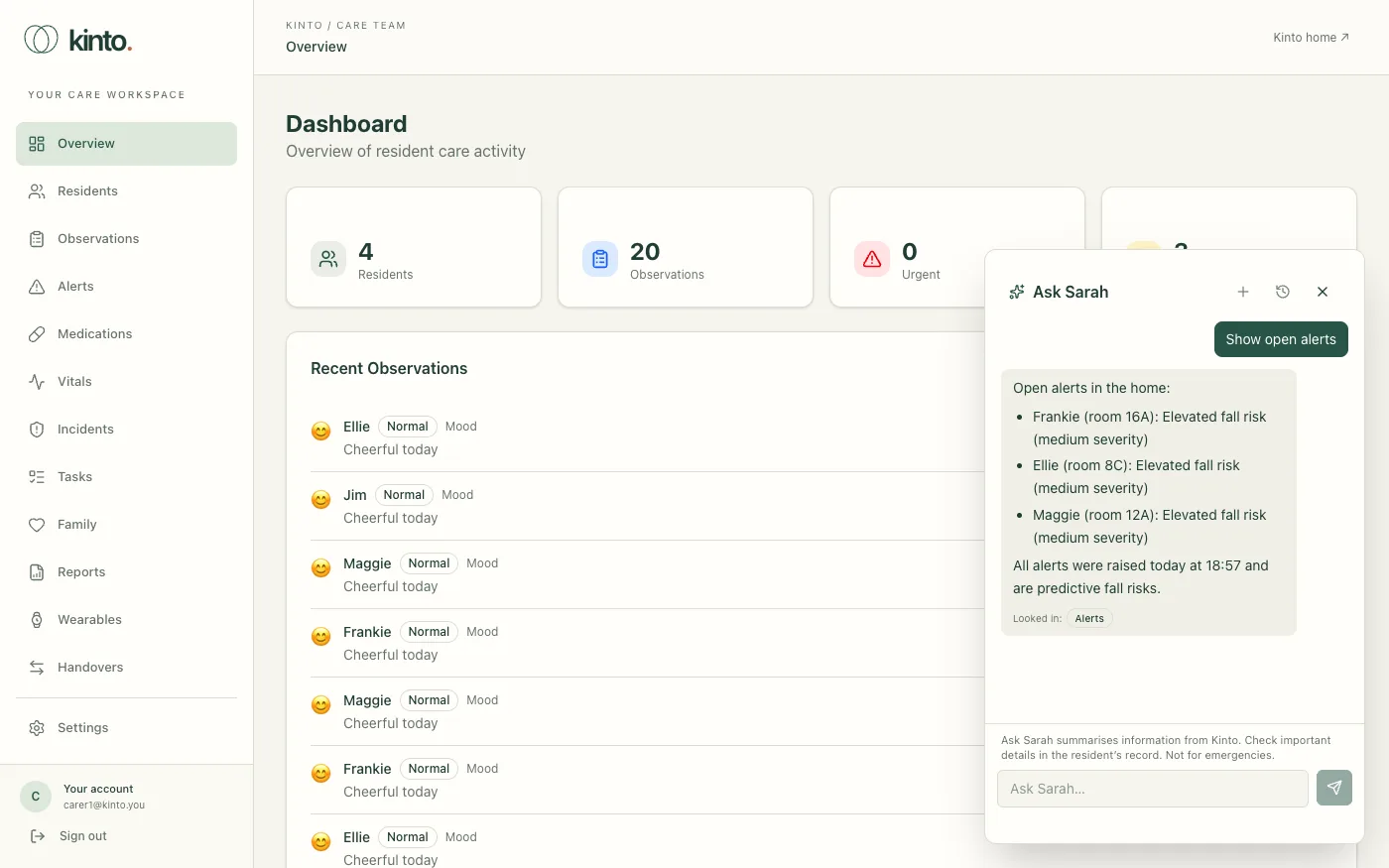
You can ask follow-up questions, such as “and her last oxygen reading?”. Sarah names the resident and the record and time she used. Under each answer, Looked in: shows which parts of Kinto she checked, for example Medicines due or Vitals and NEWS2. If something isn’t recorded, she says so rather than guessing.
Your chats
- Select + (New chat) at the top of the panel to start again.
- Select the clock (Recent chats) to reopen or delete one of your recent chats.
- Only you can see your chats, and only in the organisation you were using. They’re deleted 30 days after the last message.
What Sarah won’t do
- Change records. Sarah only reads. She can’t record a dose, an observation, an incident or a task, or sign off a handover. Do that in Kinto as usual.
- Make clinical decisions. She doesn’t diagnose, recommend treatment or suggest changing a medicine. Use your clinical judgement and your home’s policies, and speak to the nurse in charge, the GP or NHS 111.
- See other care homes. She only sees the organisation you’re signed in to.
- Help with anything else. Questions that aren’t about care work in your home get a polite no.
Using Ask Sarah safely
- Check before you act. Sarah is an AI and can be wrong or out of date, and only knows what’s recorded in Kinto. Check against the resident’s records.
- Never use it as the only source for medicines. Always give medicines from the prescription and your MAR, following your medicines policy.
- Keep personal details to a minimum. First names or room numbers are enough. Your questions and the records Sarah looks up are sent to our AI provider, OpenAI, to answer them (see the privacy policy).
- It doesn’t raise the alarm. Telling Sarah about an emergency doesn’t alert anyone.
Still stuck, or spotted something that doesn’t match what you see? Email support@kinto.you and tell us which page you were on. Please don’t include residents’ personal or medical details.