An observation is a short note about what you noticed: mood, sleep, eating, a symptom, an activity. Observations build the picture of how each resident is doing, feed into alerts, handovers and weekly reports, and help Sarah understand the person she talks to.
Record an observation
You add observations from the resident’s profile.
- Open Residents and select the resident.
- On the Observations tab, select Add Observation. The Log Observation box opens with the resident’s name.
- Choose a Type: Mood, Symptom, Sleep, Medication, Wellness, Activity, Nutrition or Social.
- Choose a Severity:
- Normal: as expected for this person.
- Concerning: different from usual and worth keeping an eye on.
- Urgent: needs attention now. Recording it in Kinto doesn’t replace telling the nurse in charge.
- Type what you saw in Description, or select Dictate and speak (see below).
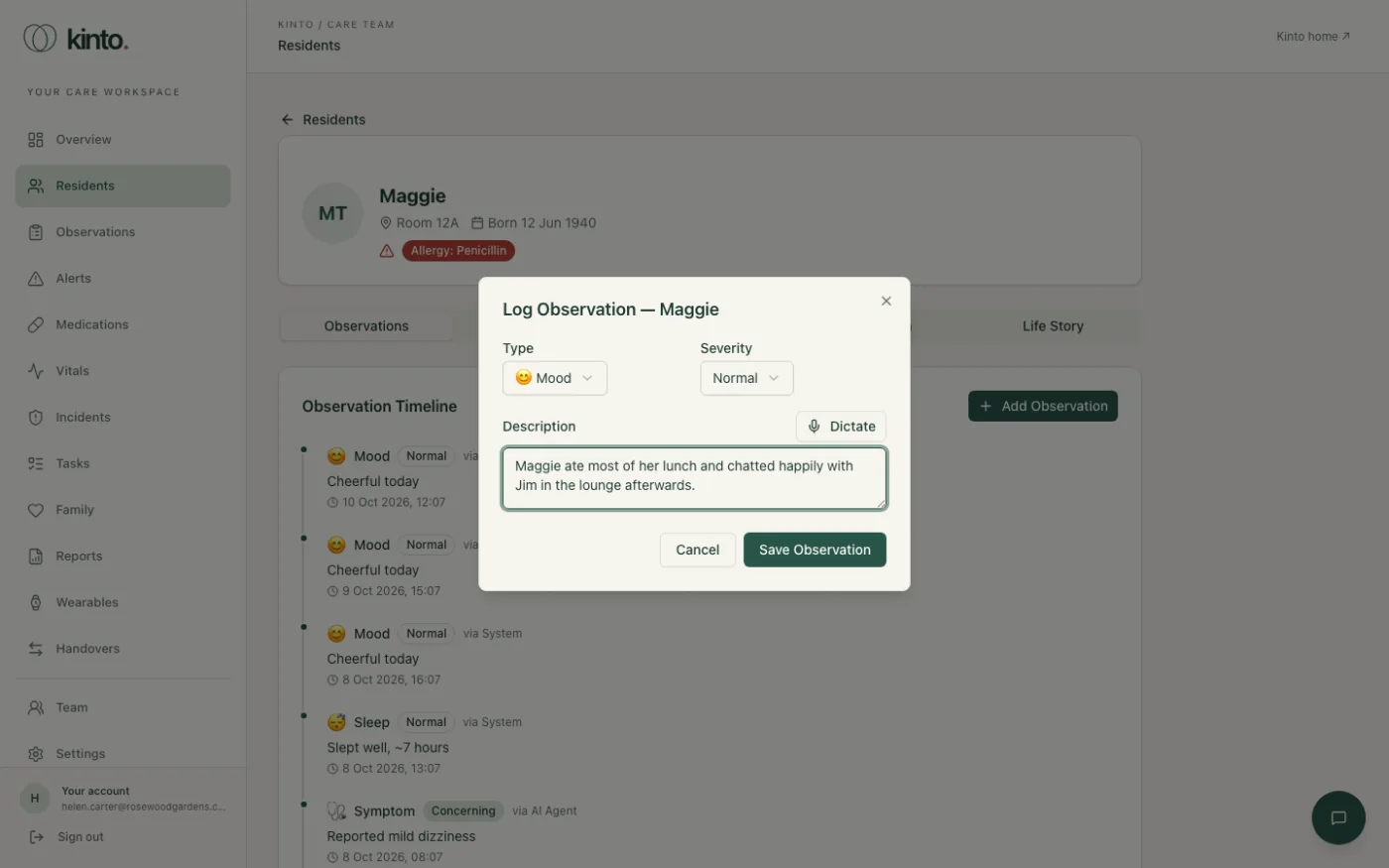
- Select Save Observation. The box closes and your observation appears at the top of the timeline, marked via Carer.
If you forget the description you’ll see Please enter a description. The time is recorded as the moment you save, so record observations as you go rather than at the end of the shift.
Dictating instead of typing
- Select Dictate above the description box. The first time, your browser asks to use the microphone: choose Allow.
- Speak clearly. You’ll see Listening... and your words appear as you talk.
- Select Stop when you’ve finished, then read the text back and correct anything misheard before saving.
Write observations that help
- Say what you saw or heard, not just a judgement: “Ate half her lunch, said she wasn’t hungry” is more useful than “Poor appetite”.
- Include when it changed and what you did about it.
- Keep to what’s needed for care. Don’t include other residents’ details.
Review observations across the home
- Select Observations in the menu. You’ll see Care observations across all residents, newest first.
- Use the filters to narrow the list: All types to pick a type, and All severities to show only Normal, Concerning or Urgent.
- Select a resident’s name to open their profile.
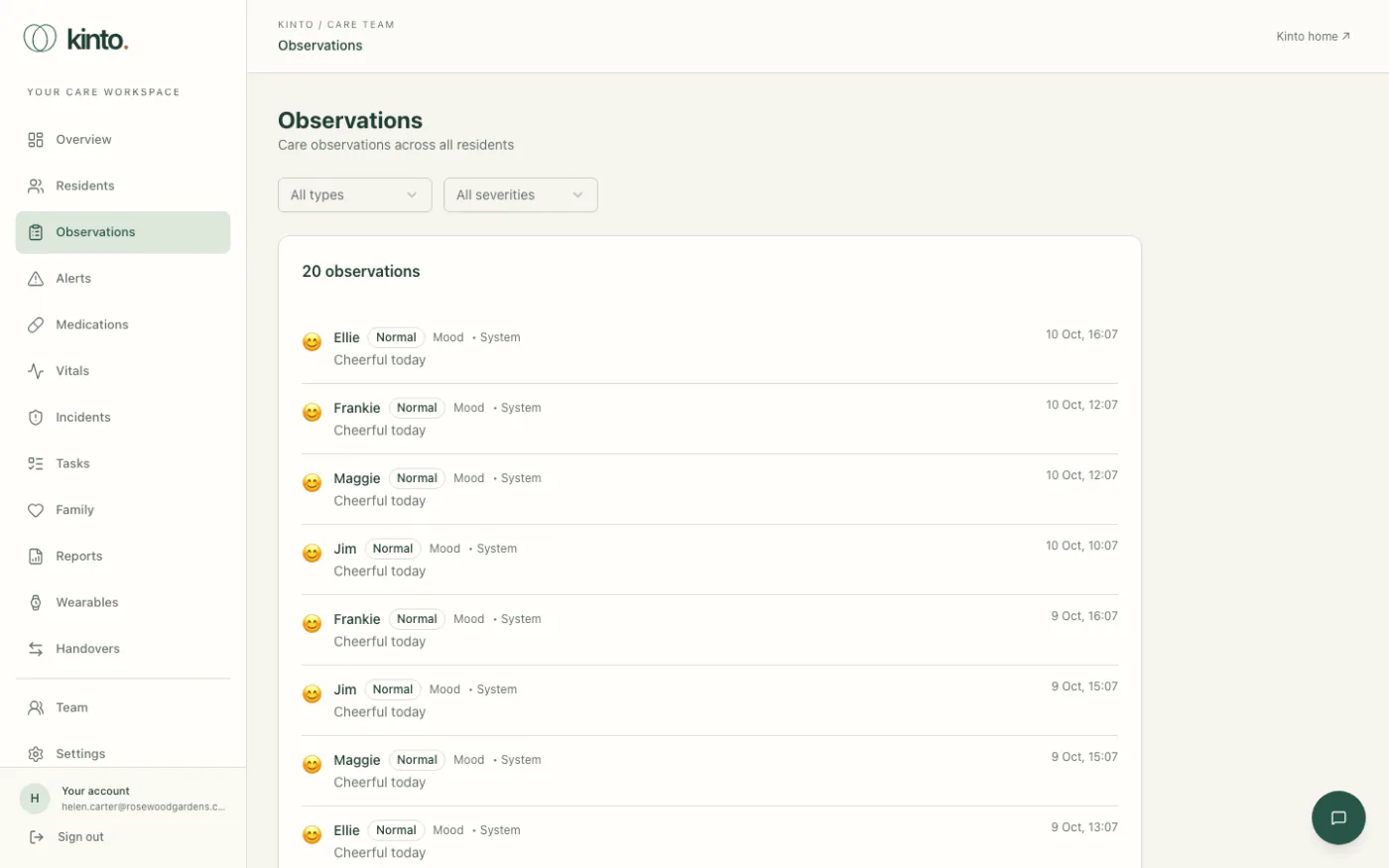
Some observations are added automatically: via AI Agent means Sarah noted something during a conversation with the resident, such as them mentioning dizziness. Treat these like a colleague’s note: check with the resident and use your judgement.
Still stuck, or spotted something that doesn’t match what you see? Email support@kinto.you and tell us which page you were on. Please don’t include residents’ personal or medical details.