Medications is where you record each dose on the medication administration record (MAR). Under the heading, Today’s adherence shows how many of today’s expected doses (UK time) were recorded as given or self-administered.
The medication round
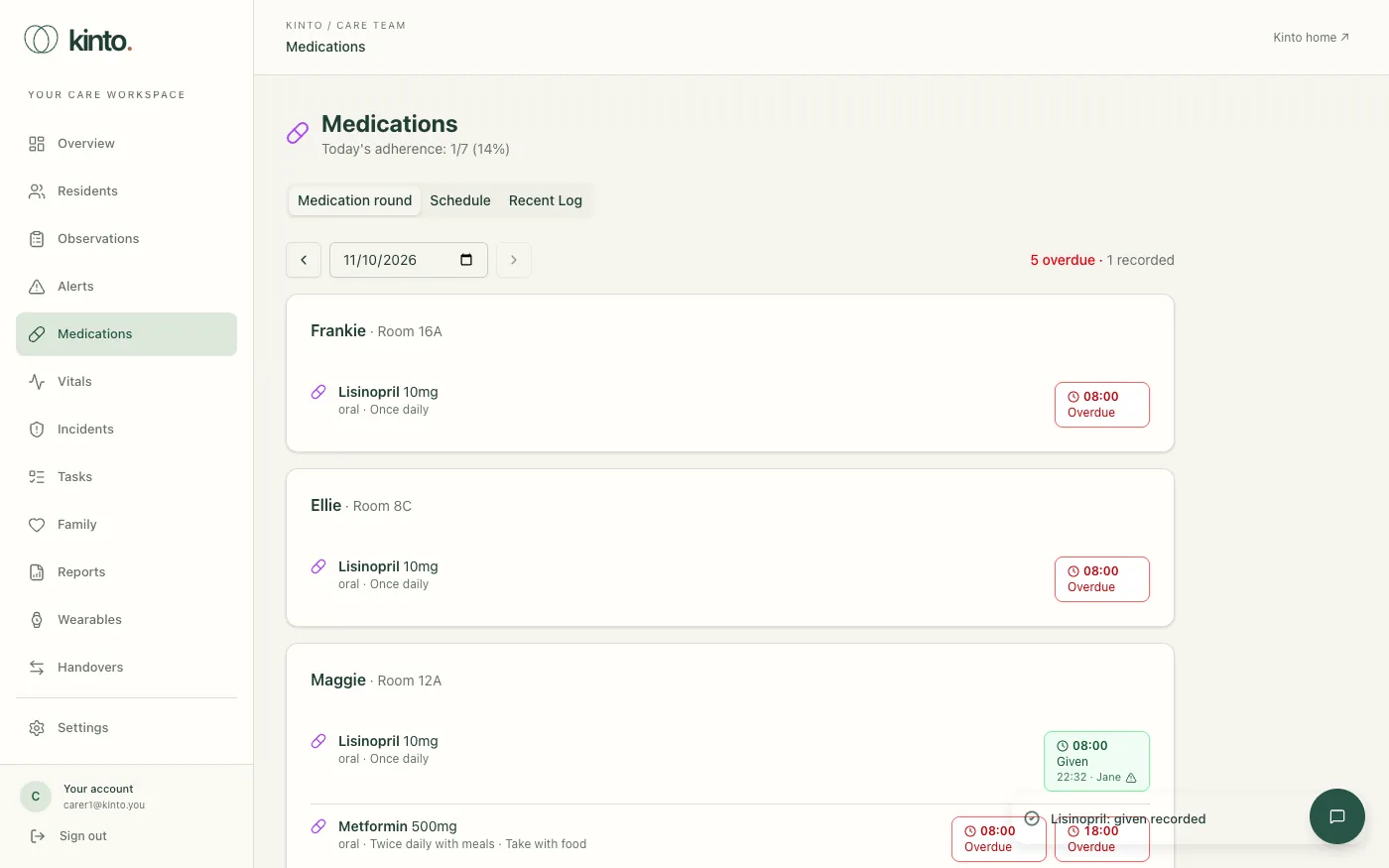
The Medication round tab opens first. It lists each resident living at the home with their current prescriptions. Every scheduled dose is a button showing its time and state:
- Later (grey): not due yet. You can record it from an hour before it’s due.
- Due now (amber): within an hour either side of its time.
- Overdue (red outline): more than an hour late with nothing recorded.
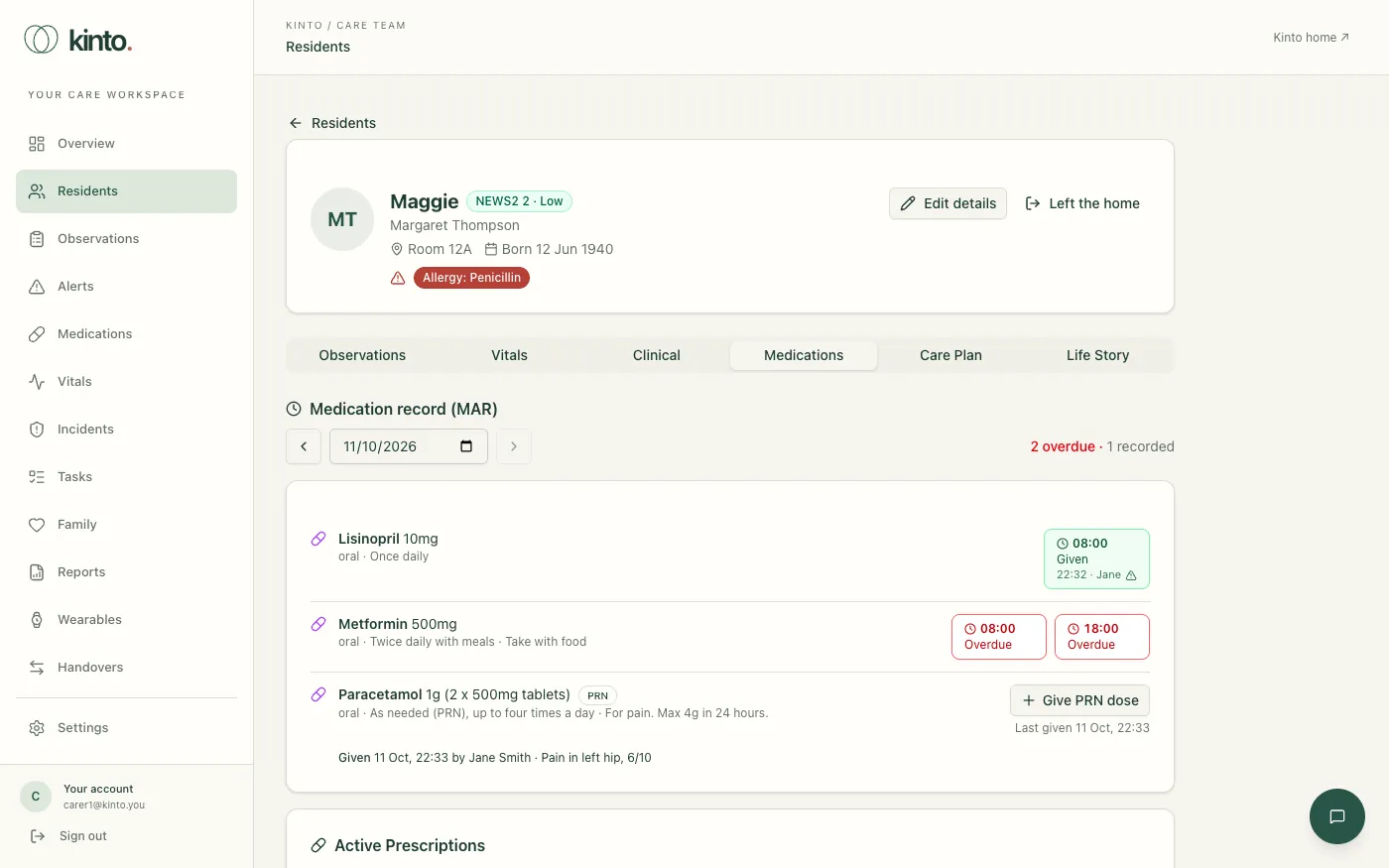
- Recorded: green for given or self-administered, red for refused, not available or not given, grey for withheld. It shows the time and who recorded it, and a warning sign if it was given or recorded late.
Use the arrows or the date box to look at another day; Today brings you back.
Record a dose
- Check the resident, the medicine and the prescription against your home’s medicines policy.
- Select the dose’s button, for example 08:00 Due now.
- Choose the outcome:
- Given: you gave the dose.
- Self-administered: the resident took it themselves, as assessed.
- Refused: offered and declined.
- Withheld (clinical reason): held back on purpose, for example pulse too low or on GP advice.
- Not available: out of stock or not delivered.
- Not given (other reason): asleep, unwell, away, unable to swallow and so on.
- For a dose that was given, check the Time given and Dose given. For any other outcome, choose the Reason.
- Add a note if needed. A note is required for Withheld (the clinical reason and who decided) and for the reason Other.
- Select Record. The button turns green or red and shows your name.
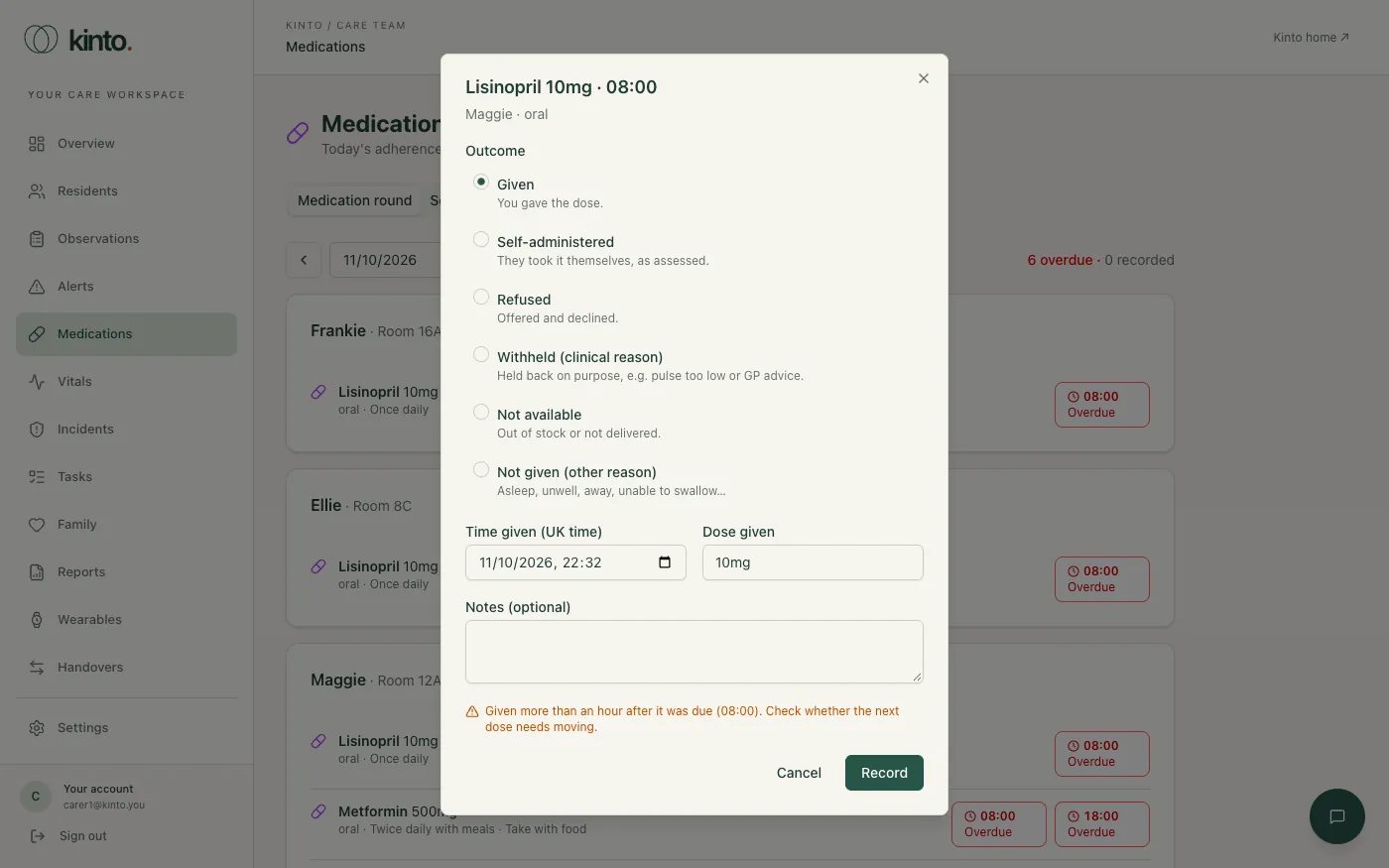
If you record a dose more than an hour after it was due, or more than an hour after you gave it, Kinto tells you and flags it as late. Recording a dose clears any missed-dose alert for it.
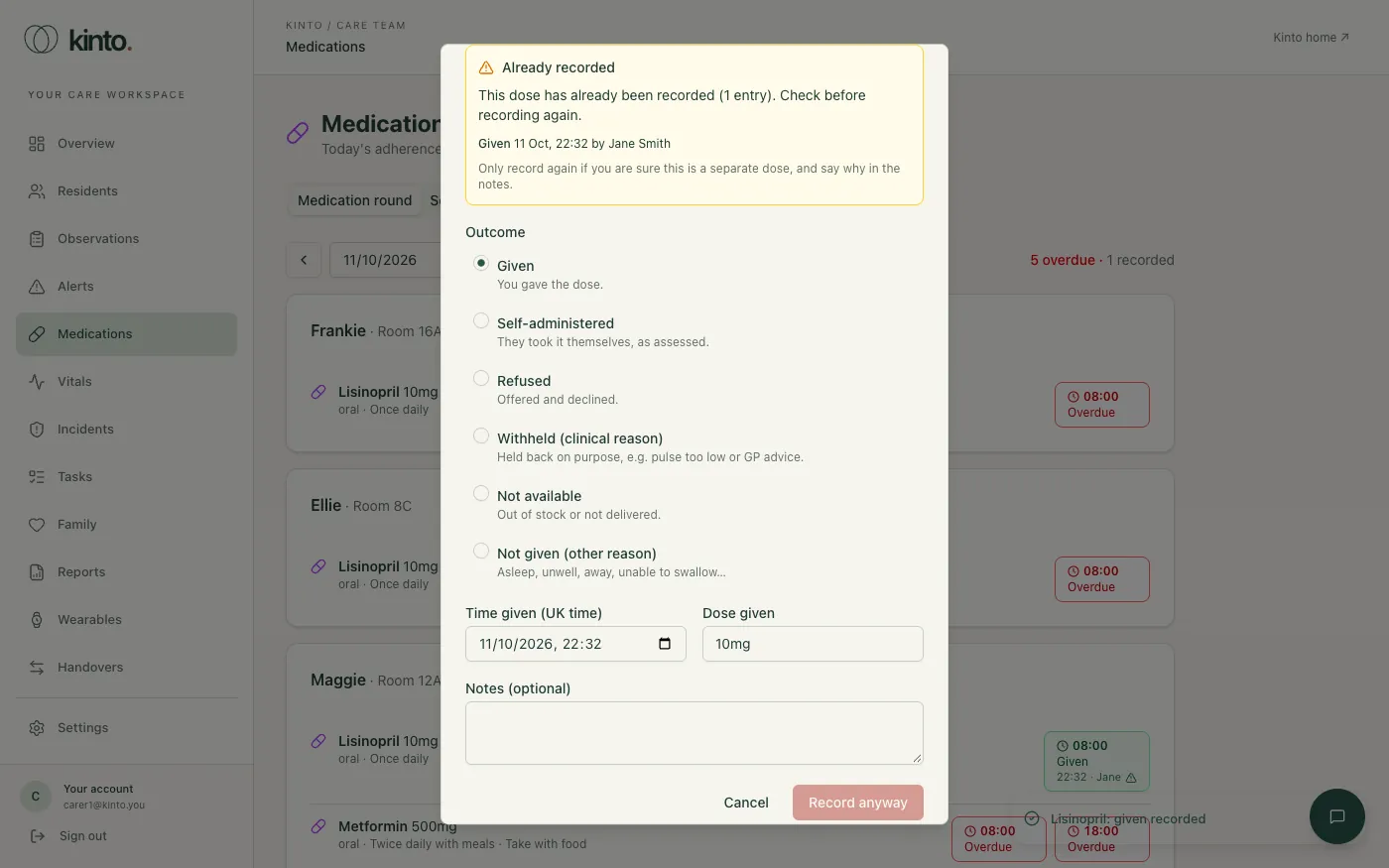
If a dose has already been recorded
Selecting a dose that already has an entry shows what was recorded and by whom. If you try to record it again, Kinto stops and shows the existing entry. Only select Record anyway if you’re sure it’s a separate dose or you’re correcting a mistake, and say why in the notes. Entries can’t be edited or deleted by care staff: correct a mistake with a new entry and a note. Owners and admins can amend an entry, which is audited.
As-needed (PRN) medicines
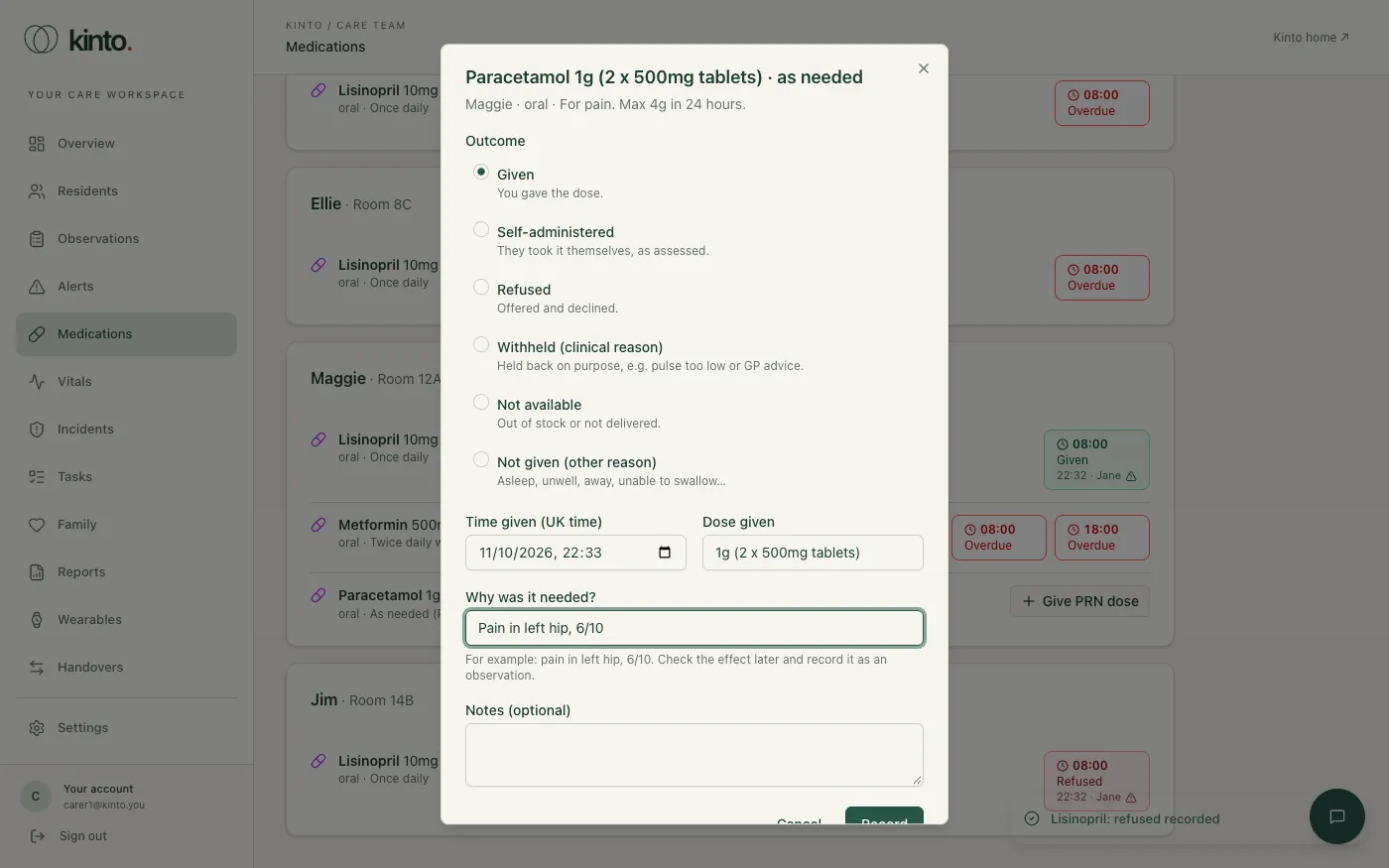
- Find the medicine marked PRN and select Give PRN dose.
- Check the time and dose, and say why it was needed, for example
Pain in left hip, 6/10. - Select Record.
If it’s sooner than the prescription’s minimum gap since the last dose, Kinto warns you and shows the last dose. Below the medicine you’ll see each PRN dose given that day and when it was last given.
Schedule and Recent Log
The Schedule tab lists each medicine with its dose, how often, times due and today’s doses recorded. The Recent Log tab lists recent entries with their outcome, the dose, who recorded them and whether it was a late entry.
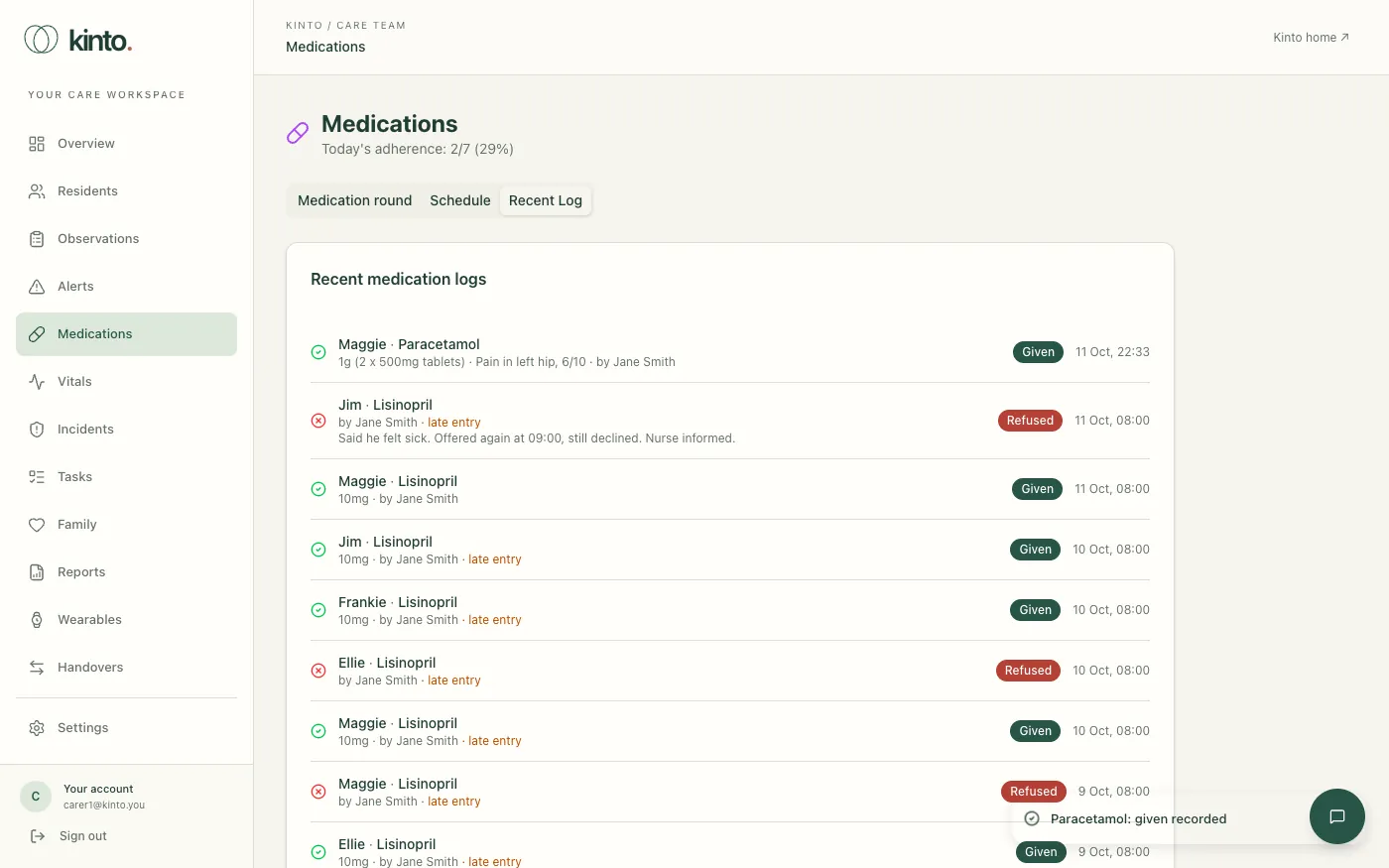
To see one resident’s record, open their profile and choose the Medications tab: it shows the same medication record for them, with their prescriptions and treatments underneath.
Still stuck, or spotted something that doesn’t match what you see? Email support@kinto.you and tell us which page you were on. Please don’t include residents’ personal or medical details.