Everyone on the care team signs in at kinto.you/login with their email address, their password and a 6-digit code from an authenticator app on their phone. The code changes every 30 seconds, so even if someone learns your password they can’t get into residents’ records without your phone.
Sign in
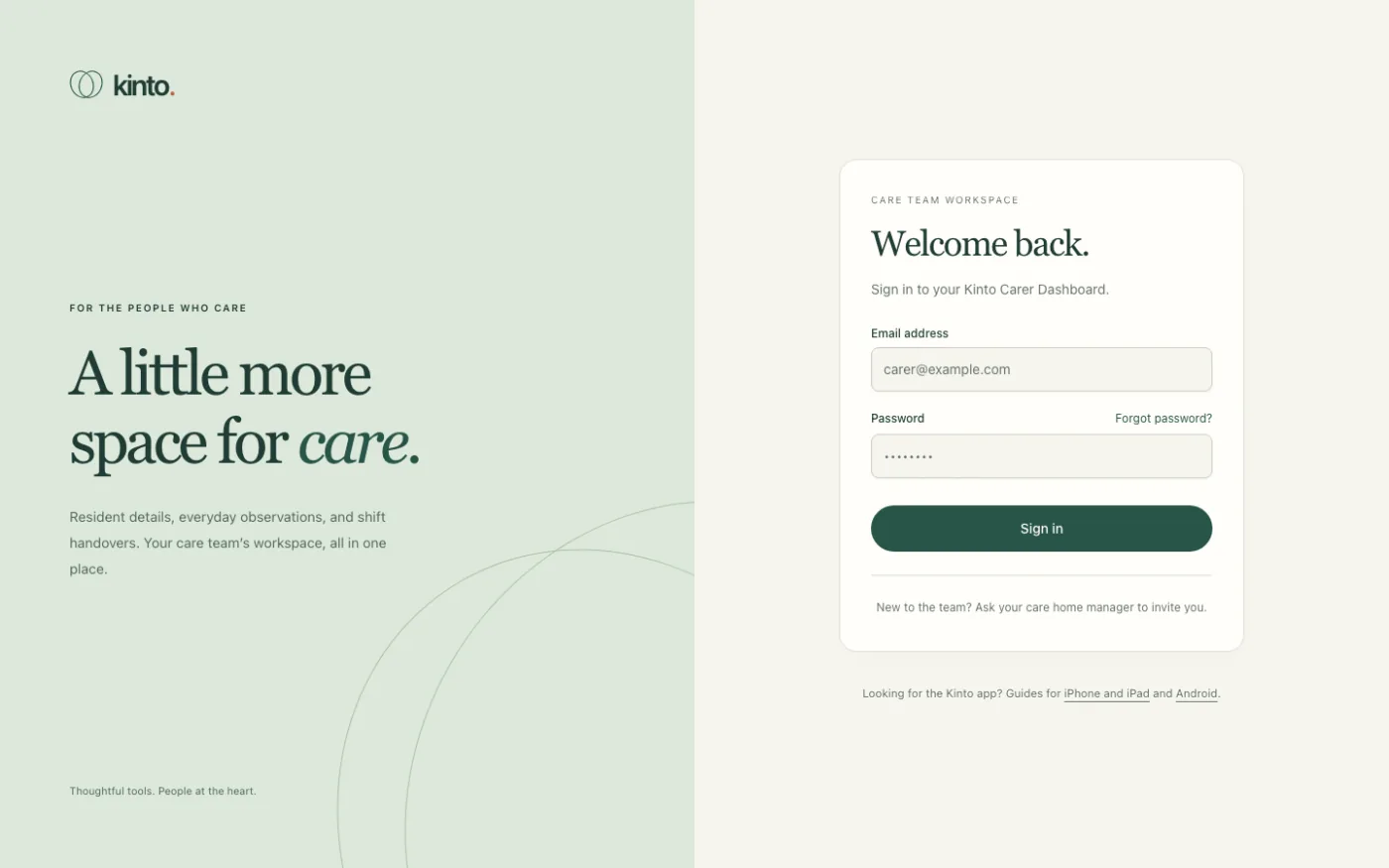
- Go to kinto.you/login, or choose For care teams at the top of the Kinto website.
- Under Welcome back., type your Email address and Password.
- Select Sign in.
- On your phone, open your authenticator app (for example Google Authenticator, Microsoft Authenticator or 1Password) and find Kinto.
- Back on the computer you’ll see Enter your code. Type the 6 digits into the Authentication code boxes.
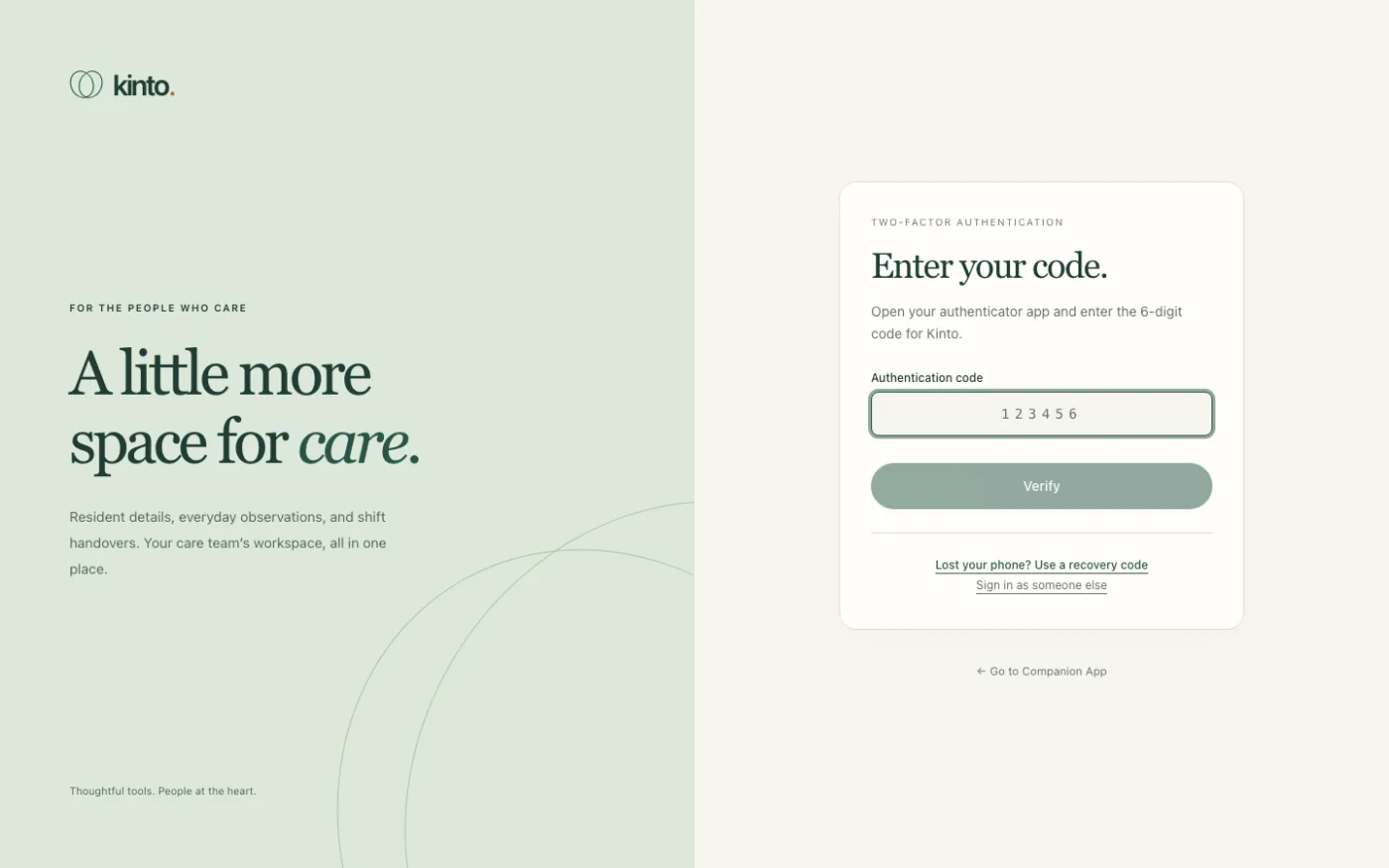
- Select Verify. You’ll see Welcome back! and the dashboard opens.
If the code isn’t accepted
You’ll see That code didn’t work. Please try again. under the boxes.
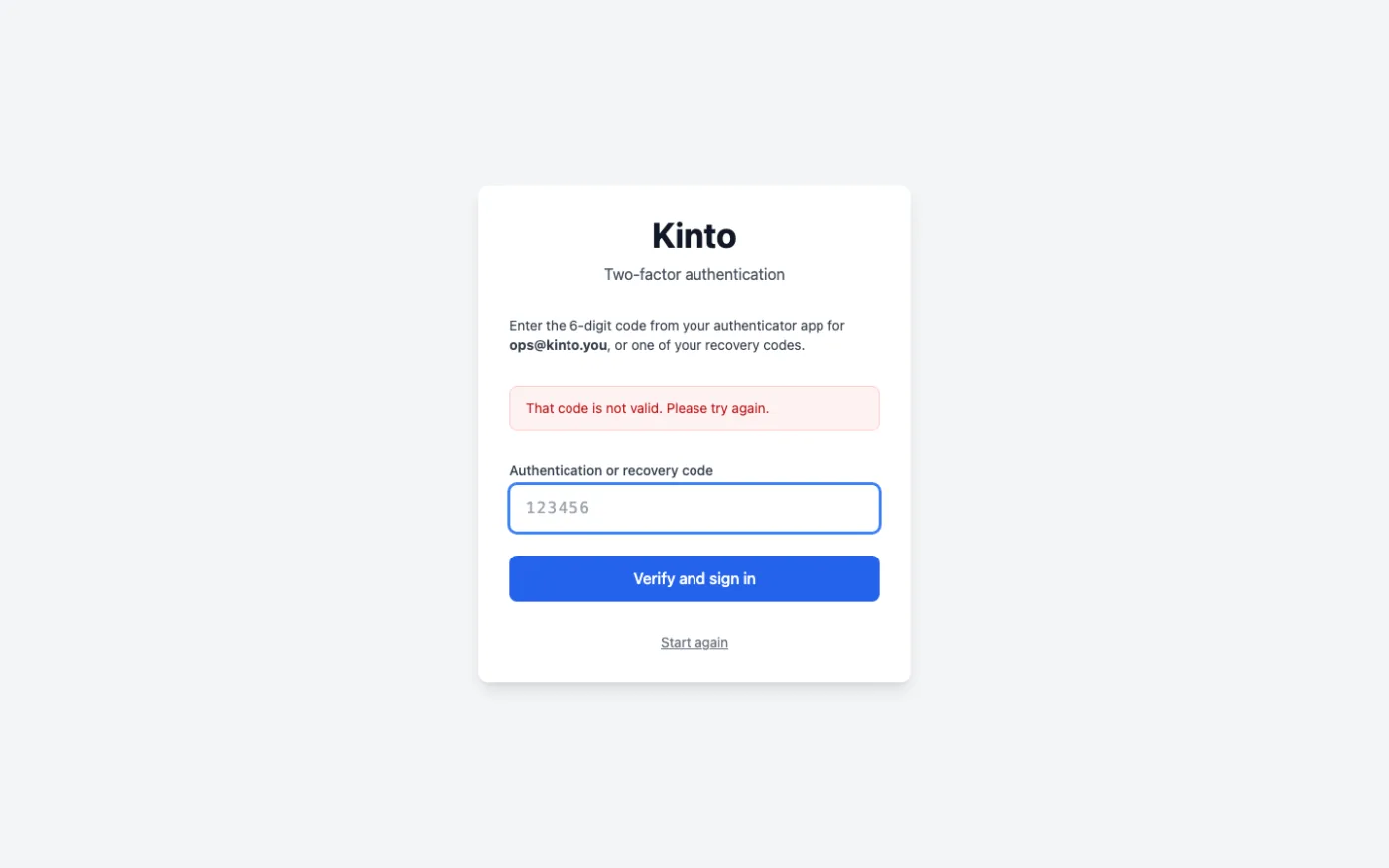
- Check you’re reading the Kinto entry in the app, not another account.
- Wait for a fresh code and type it straight away.
- Make sure your phone’s date and time are set automatically. Codes depend on the clock, so a phone that is a few minutes out will produce codes Kinto won’t accept. On iPhone: Settings → General → Date & Time → Set Automatically. On Android: Settings → System → Date & time → Set time automatically.
- If you’ve lost your phone, select Lost your phone? Use a recovery code. See Lost or new phone.
You have 5 minutes to enter the code after your password is accepted. After that you’ll see That sign-in took too long. Please enter your password again. Just start again.
How long you stay signed in
- You’re signed out automatically after 12 hours without using Kinto, and always after 7 days, even if you’ve been using it.
- When that happens, the next page you open takes you back to the sign-in page. Anything you hadn’t saved is lost, so save observations as you go.
- On a shared computer, always choose Sign out at the bottom of the menu when you finish.
Signing in as someone else
If you reach the code step on the wrong account, select Sign in as someone else under the code boxes to go back to the email and password step.
Still stuck, or spotted something that doesn’t match what you see? Email support@kinto.you and tell us which page you were on. Please don’t include residents’ personal or medical details.