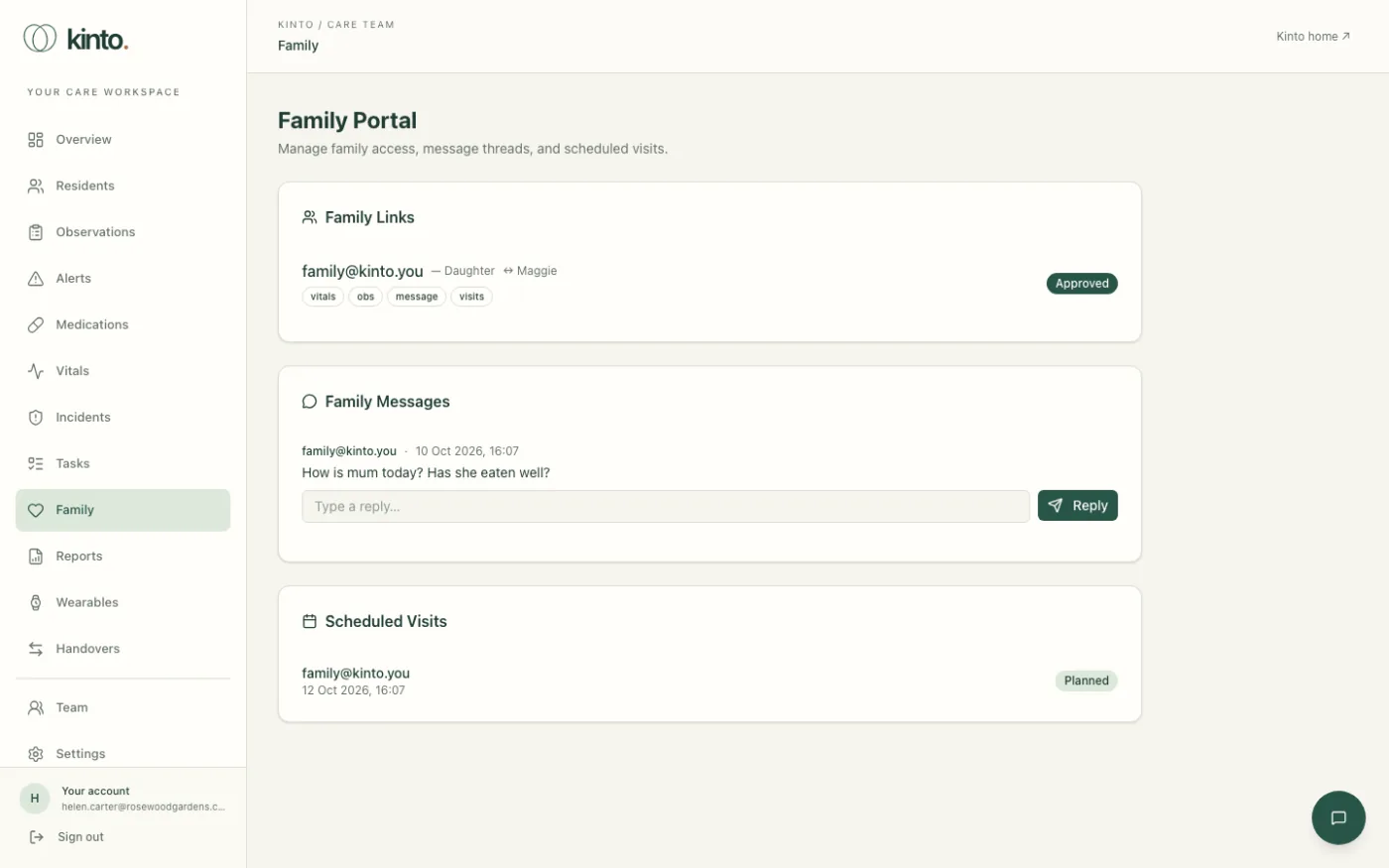
Family in the menu opens the Family Portal, where the care team manages relatives’ access, replies to messages from family and sees planned visits. It’s a page for staff: relatives don’t see it.
Family Links
Each link shows the relative’s email, their relationship (for example Daughter) and which resident they are linked to. Small badges show what the link allows: vitals, obs (observations), message and visits.
- Check the relative and the resident are right, and that the resident (or the person who can decide for them) agrees to the link.
- Select Approve. The link shows Approved.
Reply to a family message
- Under Family Messages, read the message.
- Type your answer in Type a reply….
- Select Reply. Your reply is shown under the message with your name and the time.
Scheduled Visits
Scheduled Visits lists planned visits with the relative, the date and time, any notes and a status:Planned, Confirmed, Cancelled or Completed.
Still stuck, or spotted something that doesn’t match what you see? Email support@kinto.you and tell us which page you were on. Please don’t include residents’ personal or medical details.