Handovers (Shift Handovers) is where you prepare the handover at the end of a shift. Kinto drafts it from what was recorded; you check and edit it; then someone from the outgoing shift and someone from the incoming shift sign it off.
Start a handover
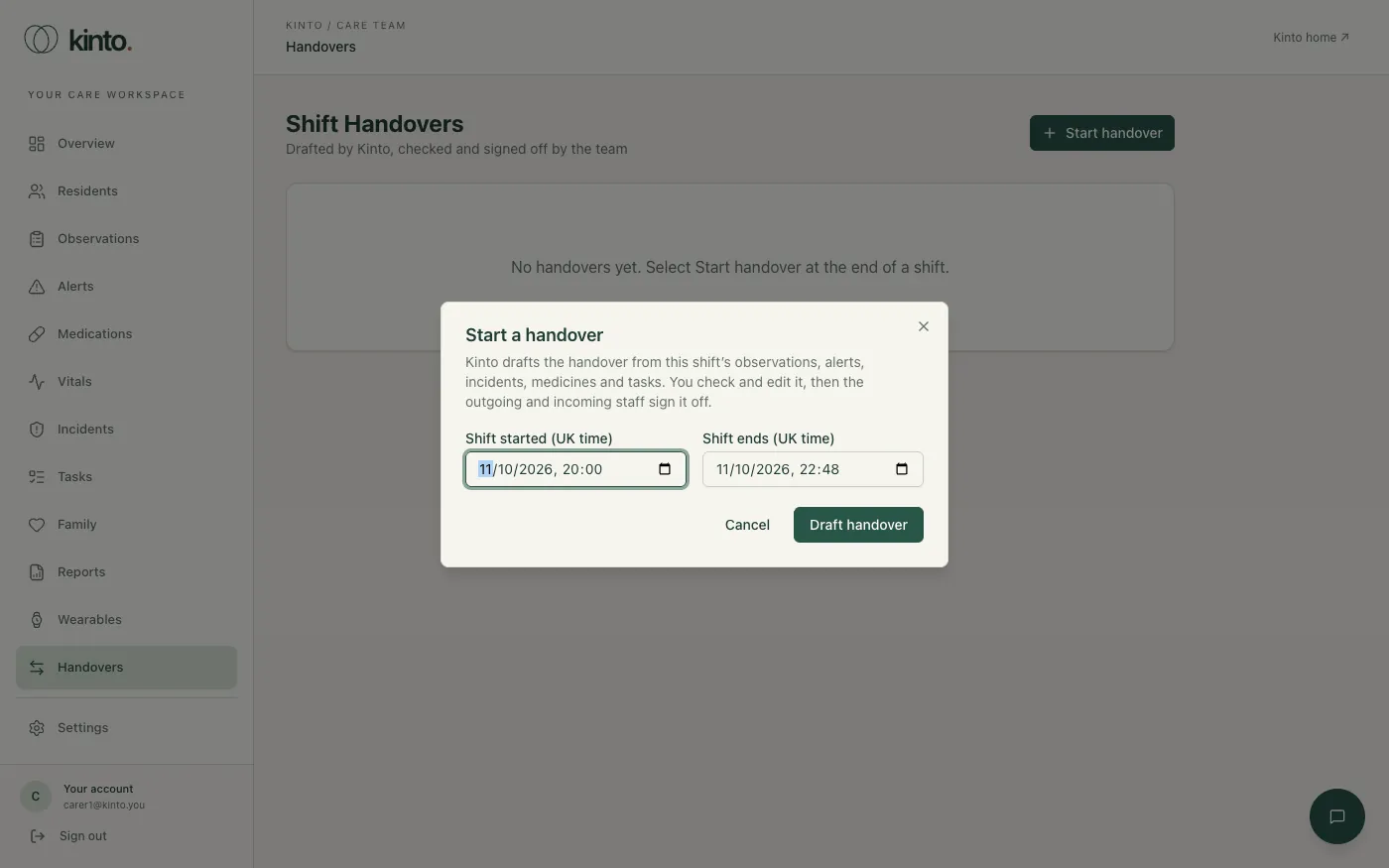
- Near the end of your shift, select Start handover.
- Check when the shift started and ends (UK time). Kinto suggests the 08:00–20:00 or 20:00–08:00 shift.
- Select Draft handover. The draft opens for you to check.
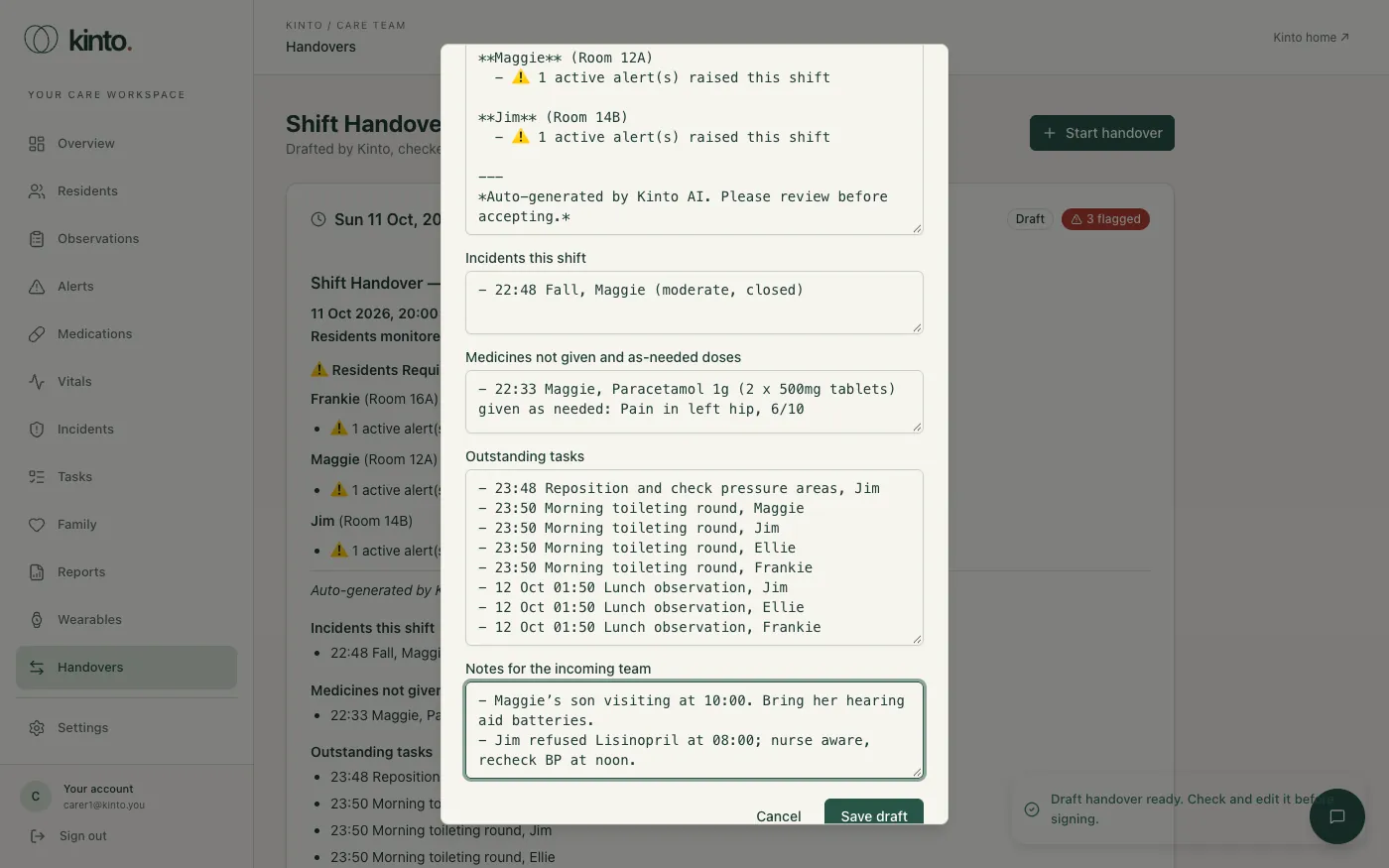
The draft has five sections:
- Shift summary: residents who need attention (urgent or concerning observations, low mood, missed doses, alerts) and key events.
- Incidents this shift.
- Medicines not given and as-needed doses, from the medication round.
- Outstanding tasks due now or in the next 12 hours.
- Notes for the incoming team, which you write.
Edit the draft
- Read every section against what happened on the shift. The draft only knows what was recorded in Kinto.
- Correct anything, and add what it missed under Notes for the incoming team: a resident who seemed unwell, a family call, a GP visit. Start each list line with “- ”.
- Select Save draft. You can come back with Edit draft until someone signs it.
If you drafted one by mistake, select Discard while nobody has signed it.
Sign off
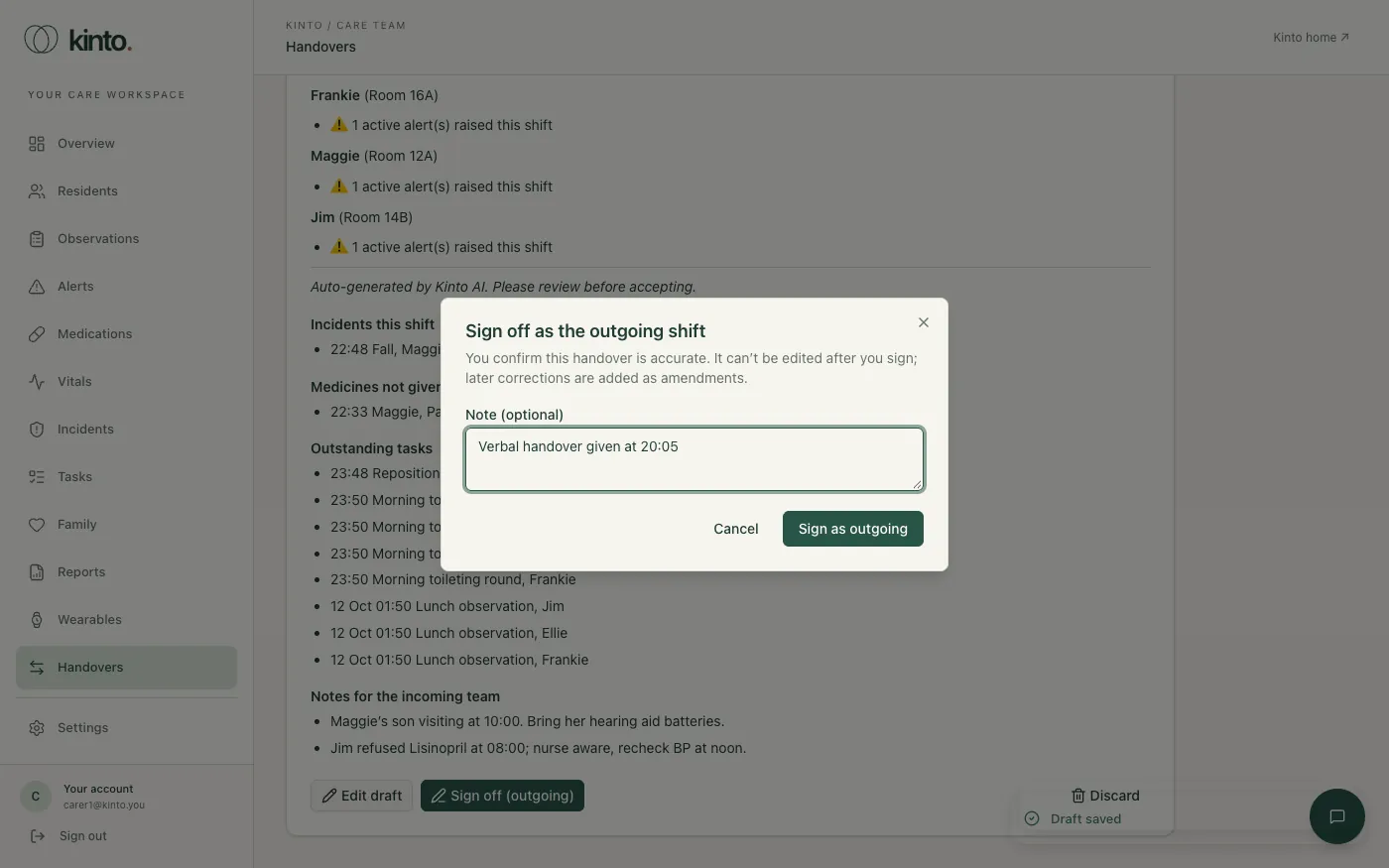
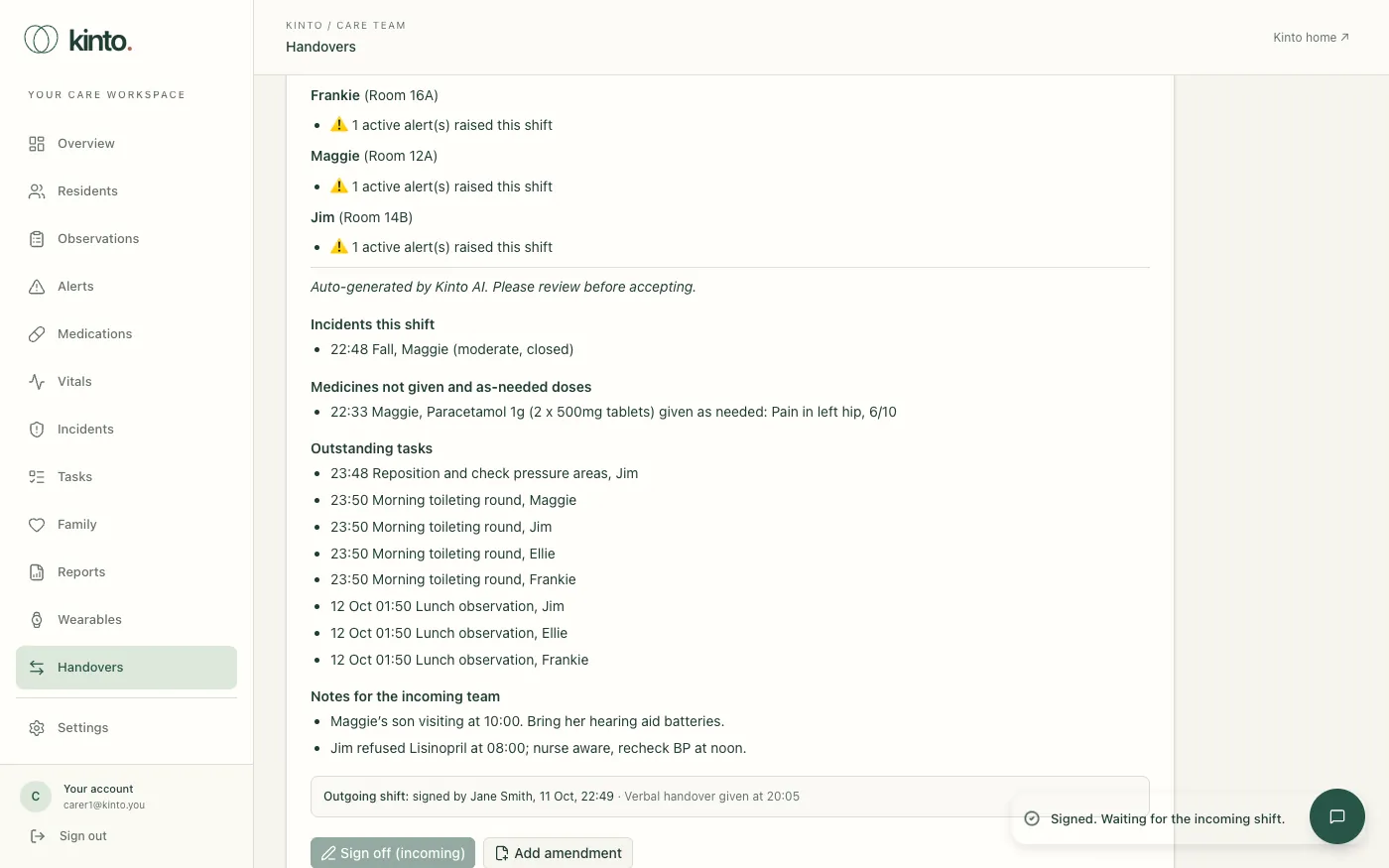
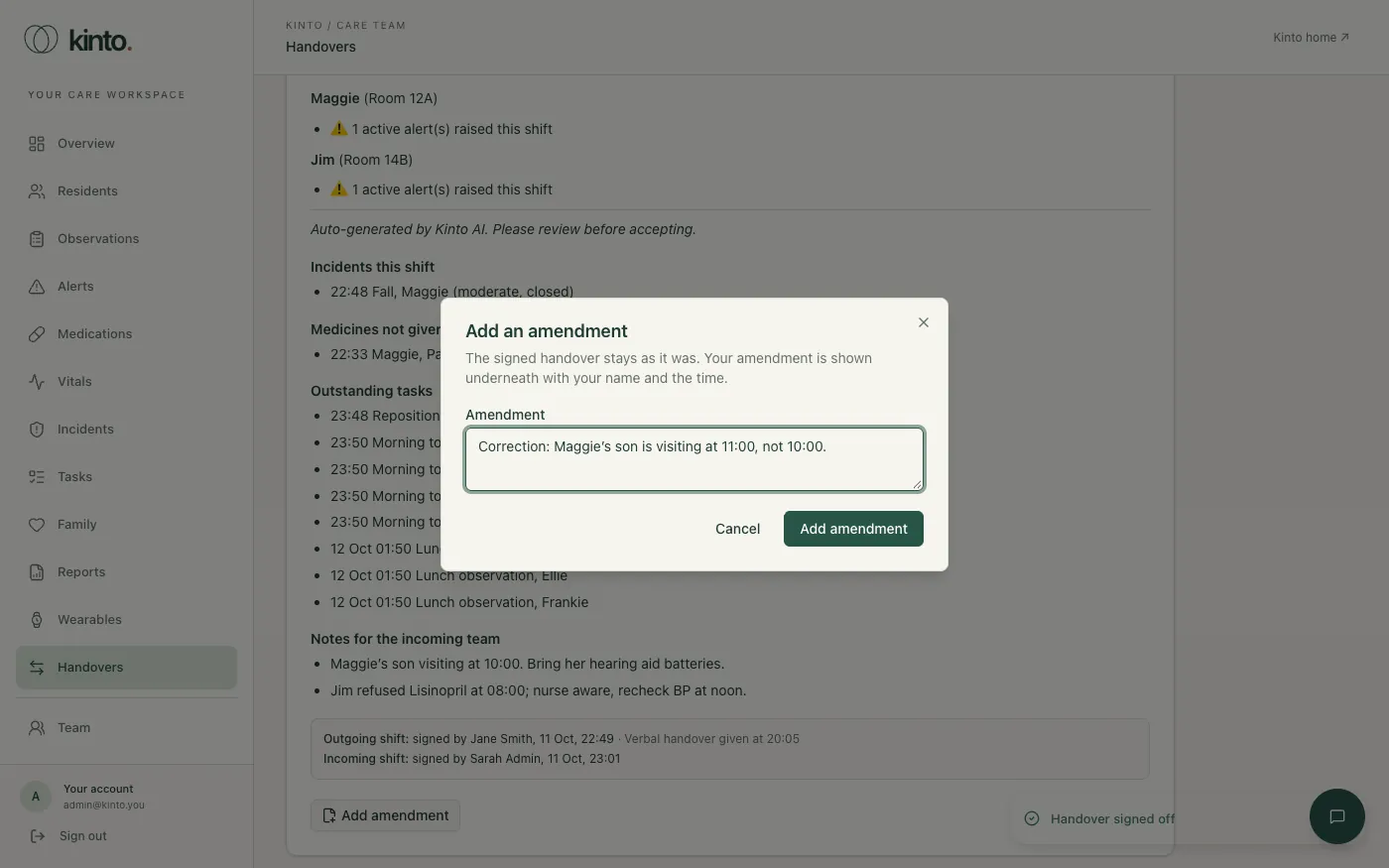
- The outgoing shift signs first: select Sign off (outgoing), add a note if useful and select Sign as outgoing. The handover can’t be edited after this, and shows Awaiting incoming sign-off.
- Someone from the incoming shift, signed in as themselves, reads it and selects Sign off (incoming), then Sign as incoming. The person who signed for the outgoing shift can’t also sign for the incoming shift.
- The handover shows Signed, with both names and times.
Corrections after sign-off
A signed handover stays as it was signed. To correct or add something, select Add amendment, write it and select Add amendment. It appears under the handover with your name and the time.
Ask Sarah for a summary
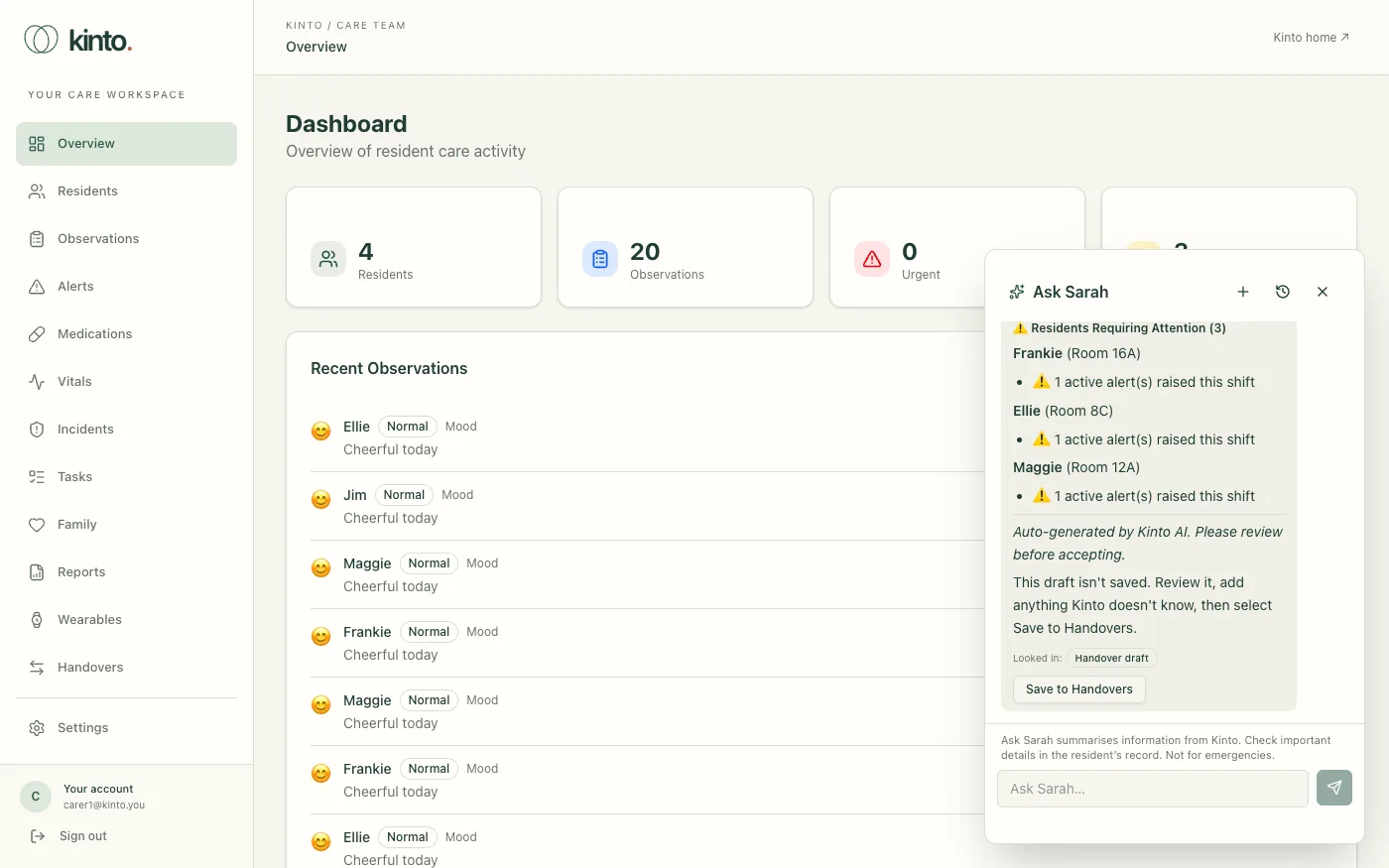
You can also ask Sarah: open Ask Sarah and choose Summarise today for handover. Sarah shows a draft that isn’t saved yet. Select Save to Handovers under it to save it as a draft handover, then check, edit and sign it off the same way.
Still stuck, or spotted something that doesn’t match what you see? Email support@kinto.you and tell us which page you were on. Please don’t include residents’ personal or medical details.