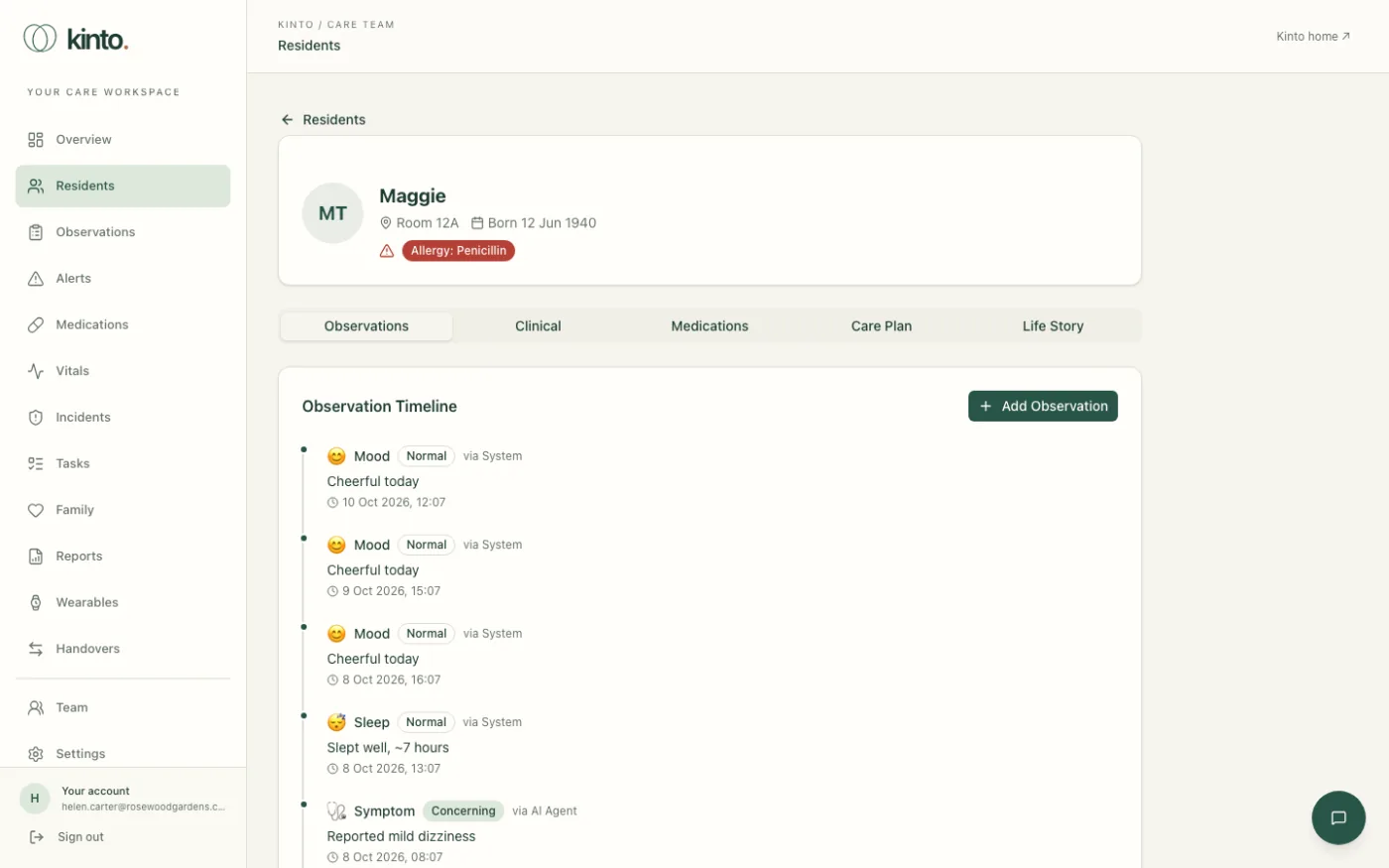
Residents appear on the Residents page and each has a profile with observations, clinical details, medicines, a care plan and a life story.
Add residents yourself
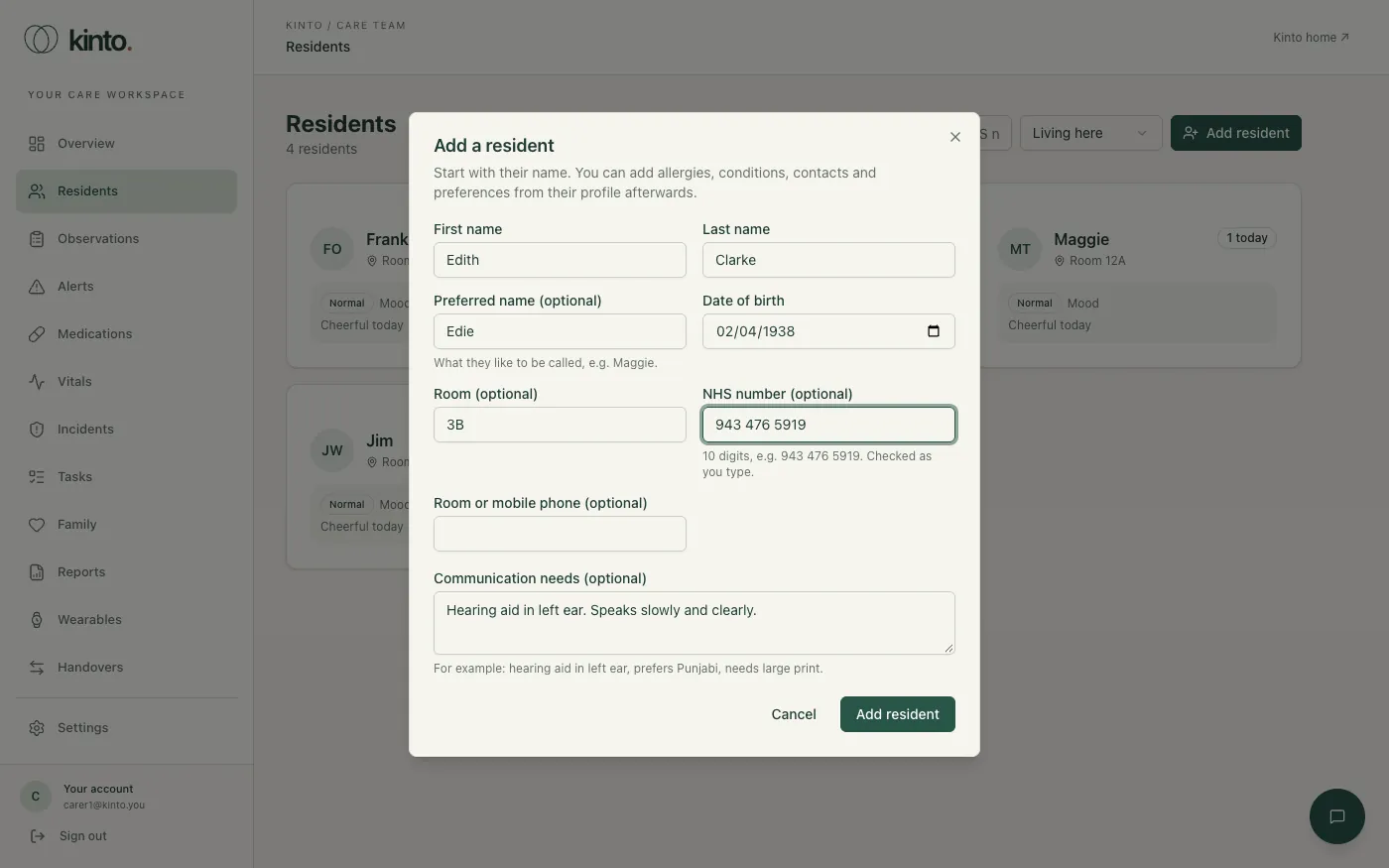
Owners, admins and carers can add residents in the workspace: on Residents, select Add resident, enter their name, date of birth, room and (optionally) NHS number, then add allergies, conditions, emergency contacts and preferences from their profile. See Residents and the resident profile.
What the Kinto team sets up
Prescriptions (which drive the medication round), care plans and life stories are still added by us. For a whole home, we can also load your residents for you.
- Collect the details you need us to add (see below). Only include what you need for each resident’s care.
- Email support@kinto.you and we’ll agree a secure way to send them. Never send resident details in an ordinary email.
- We’ll confirm when they’re added. Check each profile and tell us about anything that needs correcting.
What we can add for each resident
| Where it shows | Details |
|---|---|
| Header | First and last name, preferred name (shown everywhere), room number, date of birth, phone number. Severe allergies show as a red badge. |
| Clinical tab | Medical conditions (with ICD-10 codes if you have them), allergies and severity, emergency contacts. |
| Medications tab | Active prescriptions (dose, frequency, prescriber) and treatments such as physio or wound care. |
| Care Plan tab | A summary, review date and goals. |
| Life Story tab | Hobbies, music, family, milestones and stories, which help staff (and Sarah) start good conversations. |
When someone leaves or passes away
Open their profile and select Left the home. The record is kept, and they drop off the residents list, medication rounds and handovers. Only owners and admins can delete a record entirely; tell us if you need help applying your retention policy.
Once residents are in, your team records observations from each resident’s profile. See Residents and the resident profile.
Still stuck, or spotted something that doesn’t match what you see? Email support@kinto.you and tell us which page you were on. Please don’t include residents’ personal or medical details.