Talk to Sarah lets you have a spoken conversation with her, out loud and in real time, like a phone call over the internet. You don’t need to tap anything between turns: just speak, and she answers.
Start talking
- On the chat screen, tap the big Talk to Sarah button at the bottom.
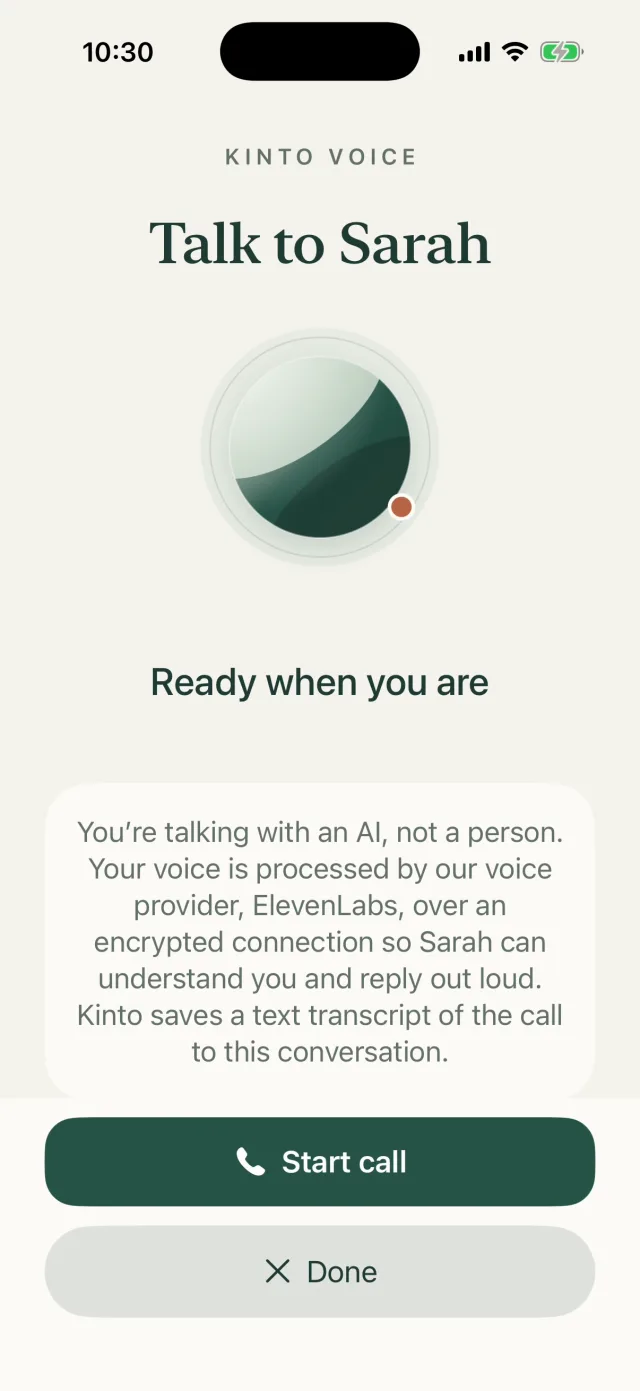
- A call screen opens, headed Talk to Sarah, showing Ready when you are. Nothing is switched on yet. A short note reminds you that you’re talking with an AI, not a person.
- Tap Start call.
- The first time, your iPhone asks to use the microphone. Tap Allow.
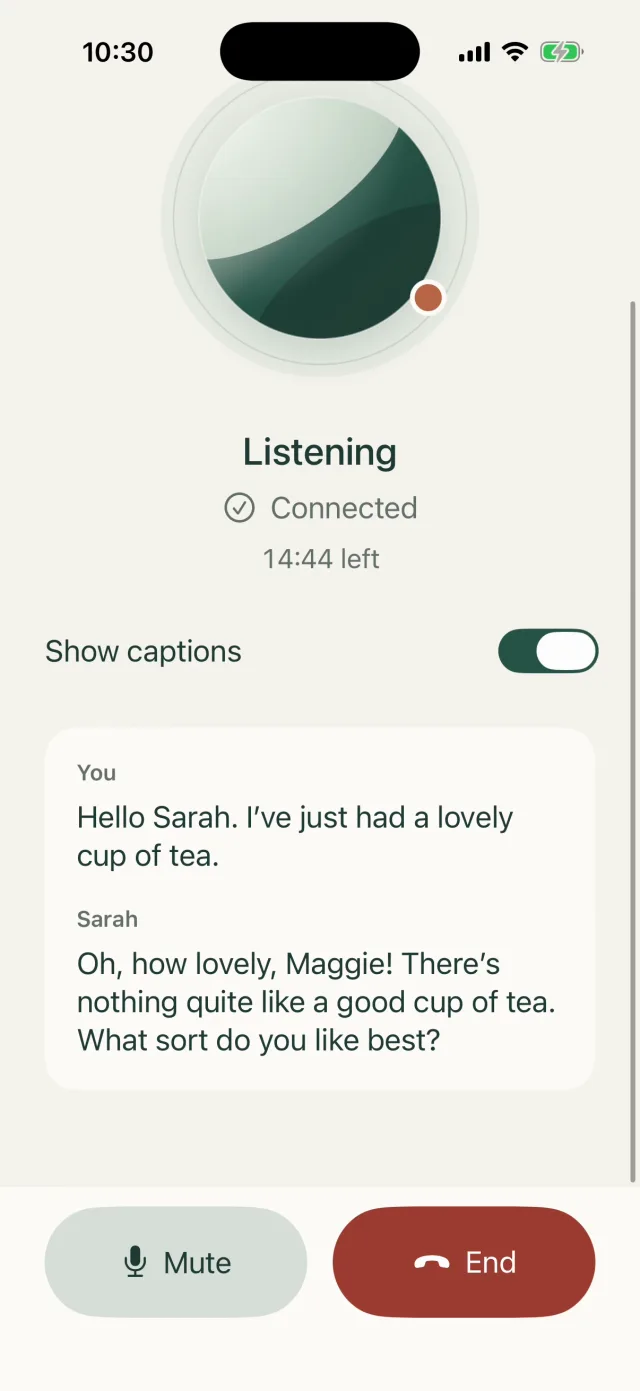
- Wait for Connecting to Sarah… to change to Listening, then say hello.
While you’re talking
| To… | Do this |
|---|---|
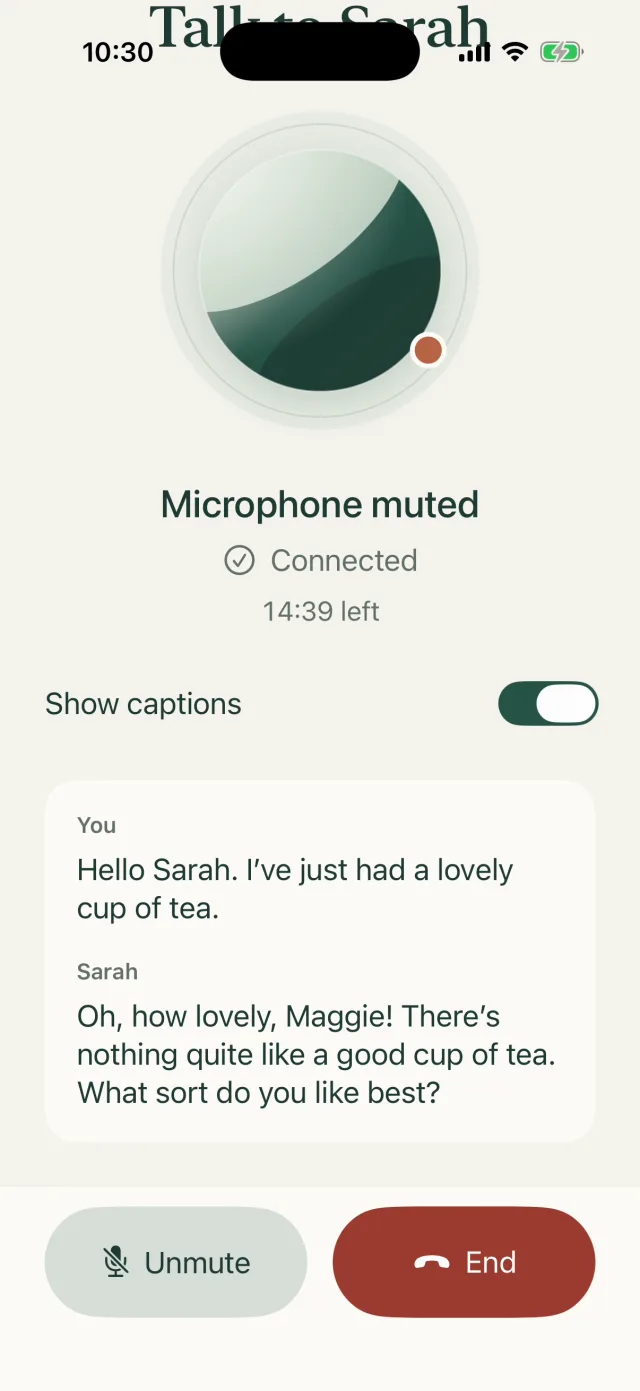
| Pause your microphone | Tap Mute. The screen shows Microphone muted and the button changes to Unmute. Tap Unmute to carry on. |
| See the words | Turn on Show captions. What you say appears under You and Sarah’s words under Sarah. |
| Finish | Tap End. Your microphone and Sarah’s voice stop straight away, and you’re back in your chat. |
| Go back without starting | Tap Done. |
A written copy of what you both said is saved in your conversation, so you can scroll back through it later.
If Sarah says goodbye and hangs up, or the 15 minutes run out, the screen shows Call ended. Tap Done to go back to your chat, or Start call to talk again.
If something goes wrong
Usually the screen shows Call stopped and a short message. Tap Start call to try again, or Done to go back and type instead.
| If you see… | Do this |
|---|---|
| The call was interrupted. Check your connection and call Sarah again., or Sarah couldn’t connect just now. Check your connection and try again. | Check you have Wi-Fi or mobile data, then tap Start call. |
| Microphone access is off. Allow it for Kinto in iOS Settings, then try again. | Turn the microphone on for Kinto (see “Change a permission” in Settings, privacy and reporting a problem), then tap Start call. |
| Sarah is busy, or you’ve reached this hour’s call limit. Please try again later. | Wait a while before calling again. You can still type to her. |
| Voice calls unavailable and Voice calls with Sarah aren’t available right now. You can still type to her. | Calls aren’t switched on for your account at the moment, so there’s no Start call button. Tap Done and type to Sarah instead. |
Good to know
- If you switch to another app or go to the Home Screen, the call ends. It never starts again on its own.
- A quiet room, or headphones, help Sarah hear you clearly.
- Talking needs a good internet connection.
- The Speak Sarah’s replies setting only affects typed chats. It doesn’t change Talk to Sarah.
Still stuck, or spotted something that doesn’t match what you see? Email support@kinto.you and tell us which page you were on. Please don’t include residents’ personal or medical details.