Sign out
Signing out keeps your account and conversations safe; you can sign back in at any time.
- Open Settings and scroll to Account.
- Tap Sign out, then Sign out again to confirm.
The copy of your chats on this device is cleared. Siri calling and calls from Sarah stop on this device until you sign in again.
Delete your account
- Open Settings, scroll to Account and tap Delete account.
- Read what will be deleted.
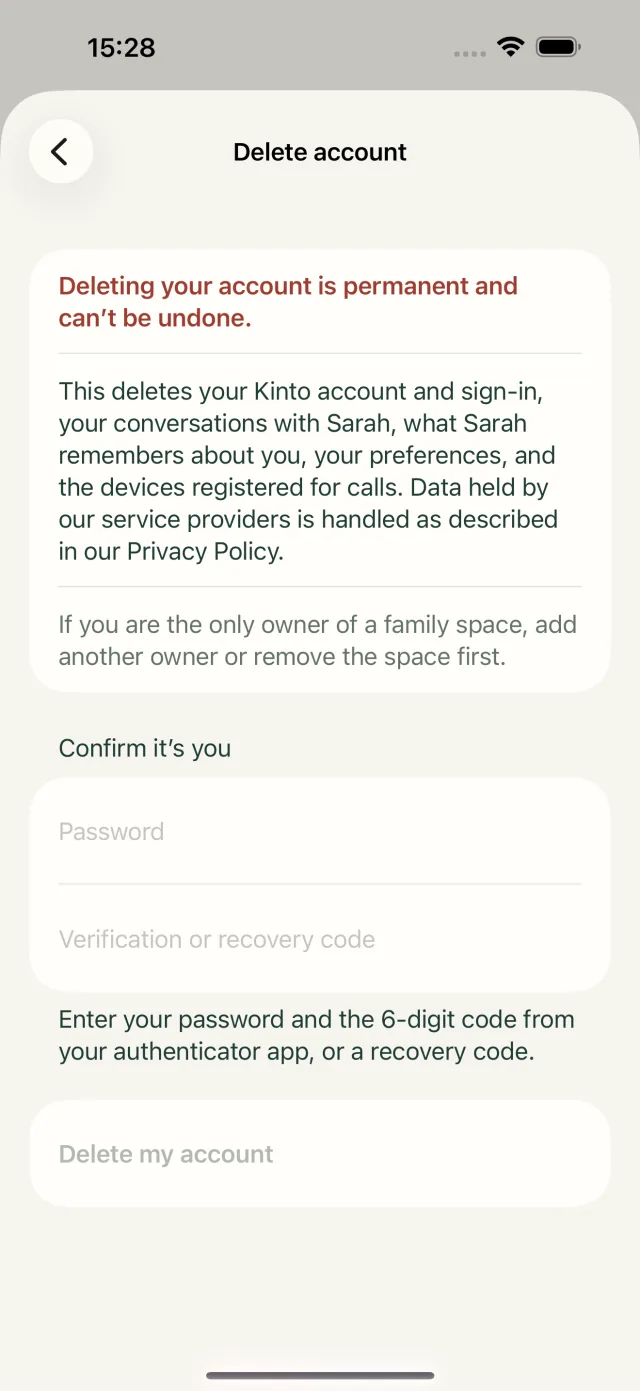
- Under Confirm it’s you, type your password.
- If your account uses two-step verification, also type the 6-digit code from your authenticator app, or a recovery code, in Verification or recovery code.
- Tap Delete my account.
- Kinto asks Delete your Kinto account? Tap Delete account to confirm, or Cancel.
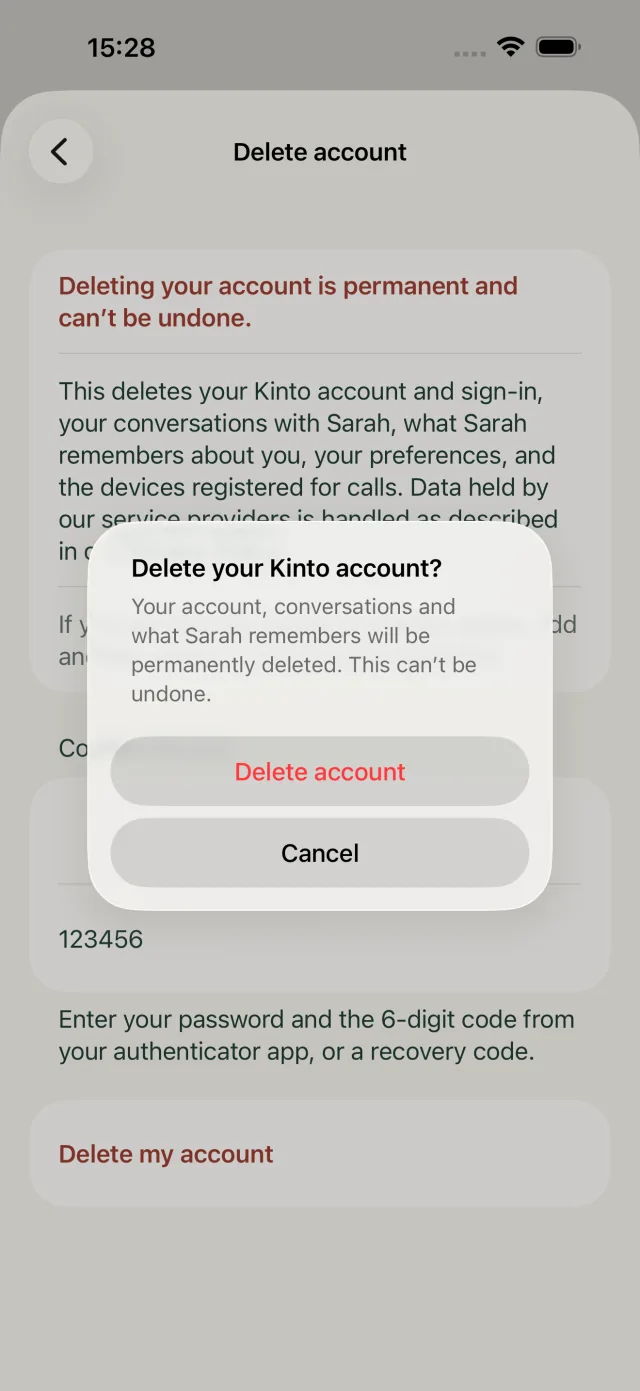
You’re signed out and taken back to the sign-in screen. You can then delete the app from your phone.
If it doesn’t work
- Your account uses two-step verification. Enter a code to continue. Type a code from your authenticator app, or a recovery code.
- Couldn’t delete your account. Check your password and try again. Check your password; if you’ve forgotten it, sign out and use Forgot password? first.
- A message that you’re the only owner, for example of a family space or a care home: you need to add another owner, or hand over ownership, first. Care home staff should ask another owner in their home, or email support@kinto.you.
No longer have the app?
You can delete your account on the Kinto website instead, at kinto.you/delete-account.
Still stuck, or spotted something that doesn’t match what you see? Email support@kinto.you and tell us which page you were on. Please don’t include residents’ personal or medical details.