Sign out
- Open Settings and scroll to Account.
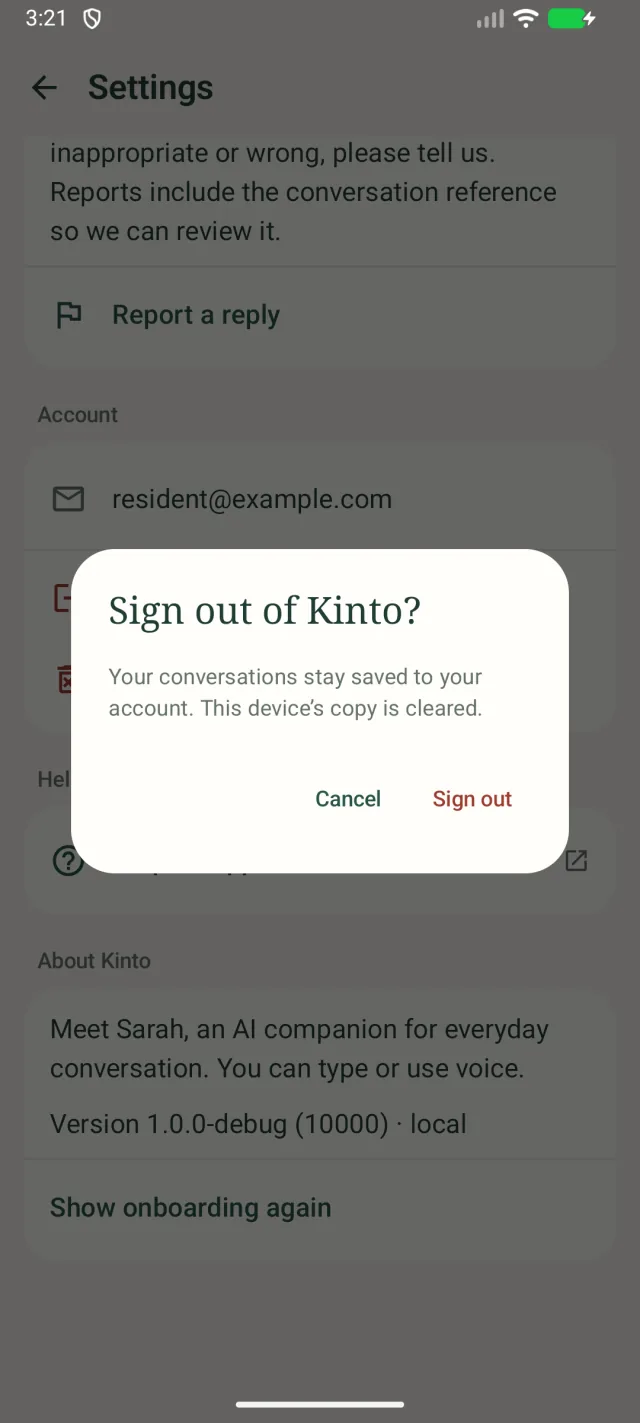
- Tap Sign out. Kinto asks Sign out of Kinto?
- Tap Sign out to confirm.
Your conversations stay saved to your account; only this phone’s copy is cleared. Sign back in at any time.
Delete your account
- Open Settings, scroll to Account and tap Delete account.
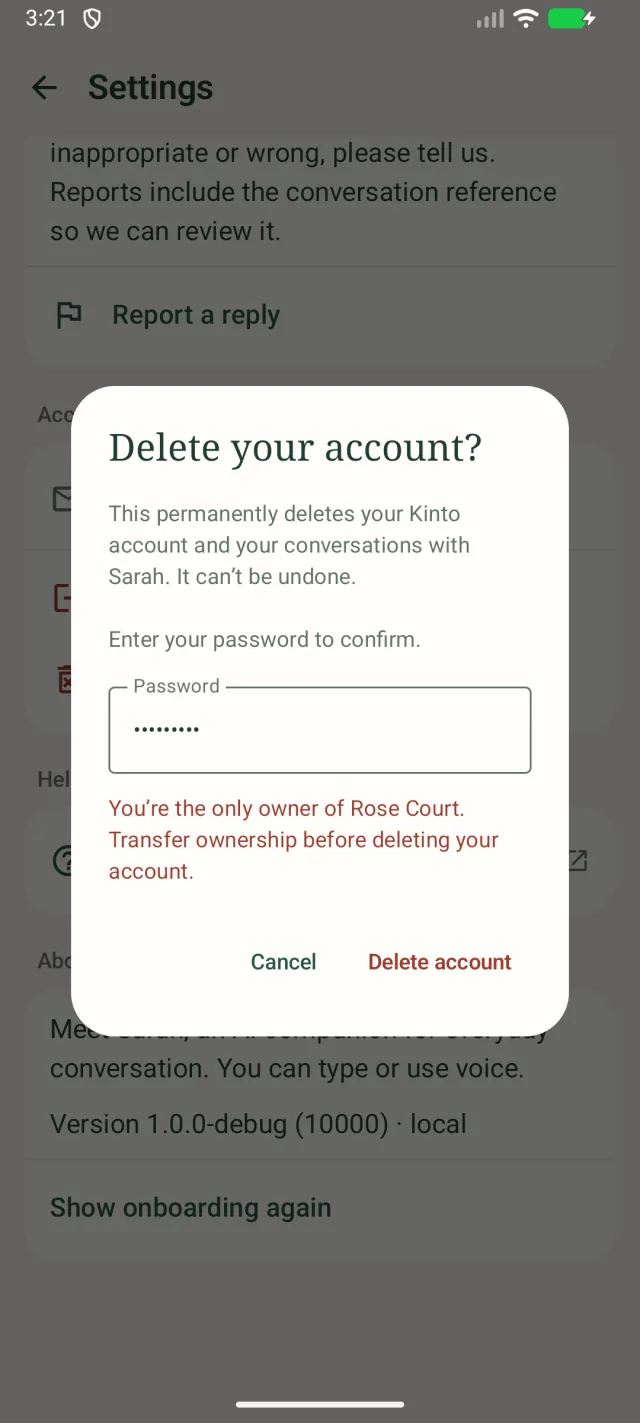
- Kinto asks Delete your account? Type your Password.
- Tap Delete account.
- If your account uses two-step verification, a Two-step verification code box appears. Type the code from your authenticator app (or a recovery code) and tap Delete account again.
The app’s data is wiped from your phone and you’re taken back to the sign-in screen. You can then uninstall the app.
If it doesn’t work
- A message that you’re the only owner, for example You’re the only owner of Rose Court. Transfer ownership before deleting your account.: your account is in charge of a care home or a family space. Another owner needs to be added first. Care home staff should ask another owner in their home, or email support@kinto.you.
- Please sign in again before deleting your account. Sign out, sign back in, and try again.
- Couldn’t delete your account. Please try again. Check your password and your internet connection.
No longer have the app?
You can delete your account on the Kinto website instead, at kinto.you/delete-account.
Still stuck, or spotted something that doesn’t match what you see? Email support@kinto.you and tell us which page you were on. Please don’t include residents’ personal or medical details.