Chatting with Sarah is like sending text messages. You can type, or speak your message and let the phone write it down for you. Sarah can read her replies out loud.
The message box
At the bottom of the chat there’s a message box with four buttons. From left to right:
| Button | What it does |
|---|---|
| Speaker | Turns Sarah’s spoken replies on or off. |
| Two circling arrows | Hands-free mode. Off when you start. See Voice on Android. |
| Microphone | Speak your message instead of typing it. |
| Send (arrow) | Sends your message. |
Send a message
- Tap Message Sarah…. The keyboard appears.
- Type your message, for example “Good morning, Sarah. It’s sunny here today.”
- Tap the round send button.
Speak instead of typing (dictation)
- Tap the microphone button.
- The first time, your phone asks to let Kinto record audio. Tap While using the app (or Allow).
- Speak your message. A wavy line shows Kinto is listening.
- Tap the stop button to keep your words, or the X to throw them away.
- Check the words in the box, correct anything that’s wrong, then tap send.
That’s how dictation works unless you turn on hands-free mode (the two circling arrows). Then your message sends itself when you stop speaking, without a chance to check it. See Voice on Android.
Hear Sarah’s replies
Spoken replies are on when you first start: Sarah reads each reply aloud. Tap the speaker button in the message box to turn this off or on; turning it off stops her straight away. To hear one reply again, tap the small play button under it.
- Tap the copy button under one of Sarah’s replies to copy it.
- Made a mistake in something you sent? Tap Edit under your message, change it and tap Save & Resend.
Conversations
Sarah remembers what you’ve told her, and keeps your conversations so you can come back to them.
- To start afresh, tap the new conversation button (a pencil and lines) at the top right, then Start new conversation.
- To find an earlier conversation, tap the menu button (three lines) at the top left. Your Recent conversations are listed.
- Tap one, then Open conversation.
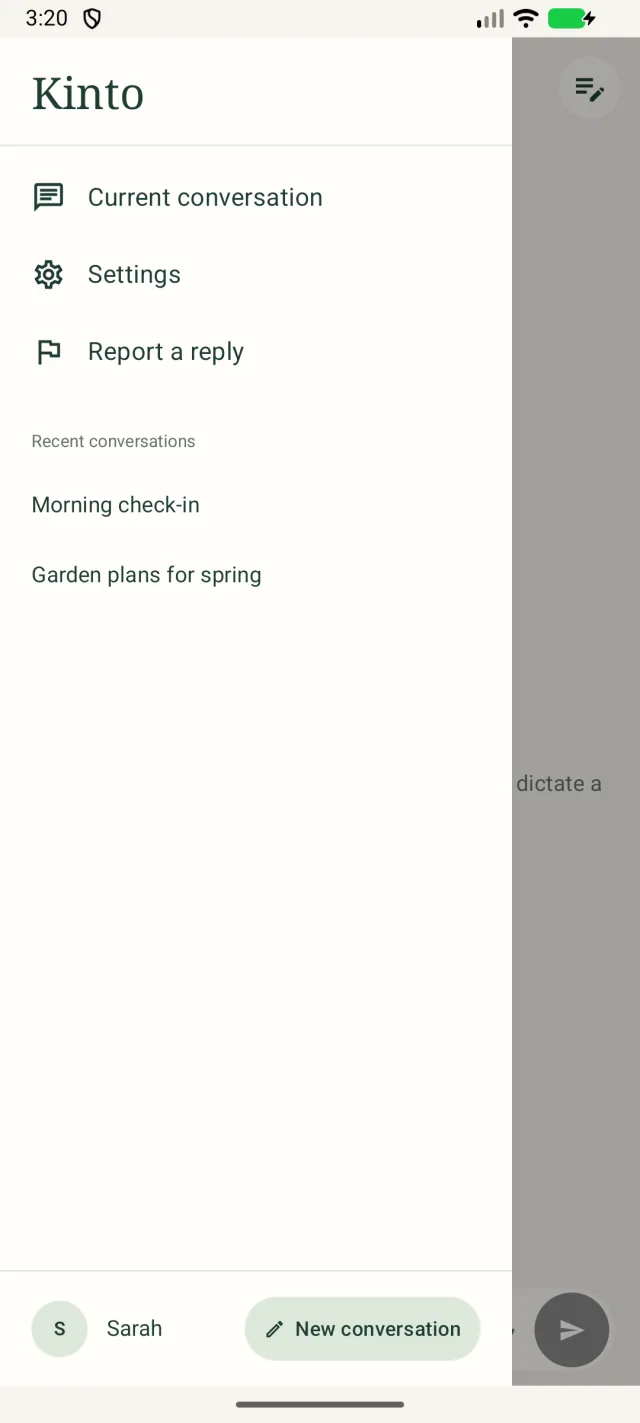
Changing conversation never deletes anything; it only clears a message you hadn’t sent yet. If Sarah is still replying you’ll be asked to wait, or to tap Cancel current reply.
Report a reply
If Sarah’s last reply was wrong, unkind or worrying, open the menu and tap Report a reply. See Settings, privacy and reporting a reply.
Making things easier to see
- Kinto follows your phone’s text size. Open your phone’s Settings → Display → Font size (on some phones Display size and text) and make the text bigger.
- Kinto works with TalkBack, for people who prefer to hear what’s on the screen.
Still stuck, or spotted something that doesn’t match what you see? Email support@kinto.you and tell us which page you were on. Please don’t include residents’ personal or medical details.